Tuesday, 19 February 2013

Quickly Grab 50GB Of Free Online Storage From Box


If you store your files on Internet, you can easily access them from anywhere in the world. Since most of the people are now using smart phones (android, blackberry, iPhone), they can see, open and edit all of their files from anywhere and can also share those files with their friends anytime. (of course, you just need an Internet connection on your mobiles to do that). Anyhow, I am kinda fanboy of Google's Google Drive and Dropbox, which are quite an awesome Online File Storage Services. We already have discussed the Fantastic features of Google Drive and the features of Dropbox which you can't resist.

Both of these services are enough for anyone to use it in order to store their files on Internet. But their is another very big and strong competitor name BOX, which has its own very interesting features is offering a 50GB of free promotional Online File Storage, so you can store and share more files online.

If you try to make an account at Box (without using this promotion), than you will get 5GB of free space only. By using this promotion, you will get a massive 50GB of free space online, which I think is more than enough for most of the average users in order to save your documents at least.

Using Box, you can also integrate your account with many applications, such as Google Docs, Gmail, Facebook, Microsoft Office and many other. By doing that you can easily access your online documents in any application and can share with your friends as well.

This promotional offer is only valid for new users. But Gmail users has one advantage, you can use multiple Gmail alias trick in order to make multiple accounts at Box using the same Gmail ID. Isn't it Cool.


How To Get 50GB Of Free Promotional Offer From Box

Click this link to Grab this offer by creating an account (it's only a matter of 30 sec)

Enter the details and after clicking the Continue button, you will receive an email from Box.
 
Thanks & Regards,

"Remember Me When You Raise Your Hand For Dua"
Raheel Ahmed Khan
System Engineer
send2raheel@yahoo.com
send2raheel@engineer.com
sirraheel@gmail.com
send2raheel (skype id)

My Blog Spot
http://raheel-mydreamz.blogspot.com/
 

Tricks to block websites without any Software

Nowadays children are addicted to social networking sites such as Facebook, Twitter, Youtube etc. Due to this they are affected by various health problems and their studies are also affected. If you want your children not to open a particular website, you can easily block that site. Here I have given a trick on how to block websites without any software.
  • Browse C:\WINDOWS\system32\drivers\etc
  • Find the file named "HOSTS"
  • Open it in notepad
  • Under "127.0.0.1 localhost" add 127.0.0.2 www.sitenameyouwantblocked.com. 

Ex:- If you want to block Facebook then type 127.0.0.2 www.facebook.com. Then www.Facebook.com will no longer be accessible.


Thanks & Regards,

"Remember Me When You Raise Your Hand For Dua"
Raheel Ahmed Khan
System Engineer
send2raheel@yahoo.com
send2raheel@engineer.com
sirraheel@gmail.com
send2raheel (skype id)

My Blog Spot
http://raheel-mydreamz.blogspot.com/

Monday, 18 February 2013

What Is Phishing - Be Aware Of Internet And Email Attacks

Once you are connected to Internet, you have to be very much cautious about your each and every move, especially when you are checking your emails. It's not always viruses who try to harm you, but there are many other things on Internet who are continuously trying to spoil your privacy, destroy your identity and steal your money in any way, and I real mean it (take it very seriously). The people behind any kind of such activities are known as Hackers.

We have already discussed that what are Internet Cookies, what information it contains and we also know how to clean such junk files from computer with the help of a software name CCleaner. But unfortunately hackers are more smarter than you.  They know how to steal the information from you and from your computer. It's really important for every computer and Internet user to be aware of the things which are related to Internet attacks and make sure that he doesn't become a part of it.

One of the biggest problem on Internet are Phishing attacks, which are very common and that's how most of the time naive users often gets hacked, theft and bankrupted with a little help from the Shortened or Long URLs.

What is Phishing ?

It's not FISHING but PHISHING. The logic of both the things are the same. If you have ever done fishing before you would be knowing it that how you catches a fish. You actually fool a fish with the help of little worm and catches it. In the same way bad guys on Internet so called Phishers play a scam game with you and easily traps you in the fish net or hook. (Interesting Isn't It)


Enough Of Bla Bla.. Lets Talk Real

The bad guys tries to fool you by making a copy of the original websites and then they send you fake emails with links which redirects you (if you click such links) to those fake websites, that’s called Phishing. These fake websites are used to grab your personal information like E-mails, Passwords, credit card numbers and any other personal information which may be useful to them.

Phishing is a way to trick you into doing something you don’t want to do. Phishers wants your personal information. Whatever is personal to you, they want to know as well.

How Phishing is done?

The process and the method these bad guys use to steal your personal information is very interesting. It's interesting because you will send them all of your information without even knowing it.

1. As already said above, Phishing attacks are done by sending you a link via email.

2. In those emails, Phishers try their best to write story in such a way that you get tempted to click on the links given in that email.

3. Once you click those links, you are redirected to a website which looks like a real one, but in actual it's a fake website which will try to fool you.

4. Now on that website, either their will be some kind of form which it will ask you to fill it or the website will try to install a small software in your PC.

5. In either way, the purpose is to get your personal information via online form or from the files stored in your PC, which than will be forwarded to the bad guys or shall we say to Phishers.

6. Once phishers have your personal details, now they will use your contacts (email address book) and will send same fake email to all of your family and friend members. And the same process goes on and on and on.

Phishing emails are made in such a way that it looks like a real email from real source. For example see picture below which is a fake email from a US bank.
 

In such emails, the bad guys or phishers will make a story and will try their best to make you believe and trust them. In such emails they may say that  "Important, your Gmail account has been violated" or "If you choose to ignore our request, we have no choice but to suspend your account." Such stories may make you fool and you may click the links which are given in the email and if you do so, you become a victim.

Still Confused...let me explain you in easy steps

How I Will Get Trapped?

1, You will receive an email from your friend (believe me it will be the same address as of your friend) and the phisher will make a story so that you click the link which he has given in the email.

OR The email can also be from your Bank, paypal, amazon site, facebook, google, yahoo etc means it can be from anyone whom you know very well, but actually it will not be from that source at all because it is a trick which these bad guys are using to trap you.

2. Then after clicking the link (which was there in the email) you will be redirected to a fake website. The phishing website is designed to look like a company's real website. On that page you may be asked to enter your login information, or your account no. and other bank related details. And incase you enter the information on that page, you surely are going to regret it all of your life. Because all of your information will then be forwarded to the phishers which they will use it against you.

Last Words

Please watch the video below as well to have a much better understanding about these Phishing Attacks. In my next post I will advise how you can protect yourself from these attacks and how you can really become a smart guy more than these phishers.
 
Thanks & Regards,

"Remember Me When You Raise Your Hand For Dua"
Raheel Ahmed Khan
System Engineer
send2raheel@yahoo.com
send2raheel@engineer.com
sirraheel@gmail.com
send2raheel (skype id)

My Blog Spot
http://raheel-mydreamz.blogspot.com/

Sunday, 17 February 2013

Random images with php


<html>
<head>
<title>The Coder Tips | Random Images with php</title>
</head>
<body>
<?php

$rand = rand(1, 5);

if($rand == 1){
echo '<img src="1.jpg">';
}
if($rand == 2){
echo '<img src="2.jpg">';
}
if($rand == 3){
echo '<img src="3.jpg">';
}
if($rand == 4){
echo '<img src="4.jpg">';
}
if($rand == 5){
echo '<img src="5.jpg">';
}

?>
</body>
</html>


Thanks & Regards,

"Remember Me When You Raise Your Hand For Dua"
Raheel Ahmed Khan
System Engineer
send2raheel@yahoo.com
send2raheel@engineer.com
sirraheel@gmail.com
send2raheel (skype id)

My Blog Spot
http://raheel-mydreamz.blogspot.com/

Php firewall script example


This is a simple firewall php script which filter form data against XSS SQLI FRI LFi attacks
I would like to say that i was playing around with it.
Note that some methods are not totally filtered (preg_match like ../) etc..
Either i dont have time to go back and edit it.
Do not use this code on your site until you know what you are doing, its just an sample!

 <?php
error_reporting(0);

// ###########################################
// simple firewall
// coded by Mikel Doka
// http://www.thecodertips.com
// its not something big, i was just playing around
// then moved to trash o.0 :P
// you can easily implement it to your site but dont take this as
// a functional firewall
// it has or may contain bugs
// i mean learn from code :D
// ###########################################

// get ip

$ip_logged = htmlentities($_SERVER['REMOTE_ADDR']);

// html

$html = "<html><head><title>Hack Attemp Logged</title></head><body style='background-color:red'><center><h1>$ip_logged<br />Hack Attemp Detected!<br />Your IP has been logged and will be reported to your ISP.</h1></center></body></html>";

// too long

$too_long = "<html><head><title>Data too long</title></head><body style='background-color:red'><center><h1>Try something more short.</h1></center></body></html>";

// ###########################################
// get post title
// ###########################################

if(isset($_GET['title'])){

$url = $_GET['title'];

if(strlen($url) > 300){
die($too_long);
}

// switch to lowercase, good sqli prevention

$url = strtolower($_GET['title']);

// anti sqli

if(preg_match("/--/", $url)){
die($html);
}
else
if(preg_match("/;/", $url)){
die($html);
}
else
if(preg_match("/0x/", $url)){
die($html);
}
else
if(preg_match("/@@/", $url)){
die($html);
}
else
if(preg_match("/alter/", $url)){
die($html);
}
else
if(preg_match("/char/", $url)){
die($html);
}
else
if(preg_match("/begin/", $url)){
die($html);
}
else
if(preg_match("/cast/", $url)){
die($html);
}
else
if(preg_match("/create/", $url)){
die($html);
}
else
if(preg_match("/cursor/", $url)){
die($html);
}
else
if(preg_match("/declare/", $url)){
die($html);
}
else
if(preg_match("/delete/", $url)){
die($html);
}
else
if(preg_match("/drop/", $url)){
die($html);
}
else
if(preg_match("/end/", $url)){
die($html);
}
else
if(preg_match("/fetch/", $url)){
die($html);
}
else
if(preg_match("/insert/", $url)){
die($html);
}
else
if(preg_match("/kill/", $url)){
die($html);
}
else
if(preg_match("/open/", $url)){
die($html);
}
else
if(preg_match("/select/", $url)){
die($html);
}
else
if(preg_match("/sys/", $url)){
die($html);
}
else
if(preg_match("/update/", $url)){
die($html);
}
else
if(preg_match("/union/", $url)){
die($html);
}
else
if(preg_match("/or/", $url)){
die($html);
}
else
if(preg_match("/from/", $url)){
die($html);
}
else
if(preg_match("/like/", $url)){
die($html);
}
else
if(preg_match("/and/", $url)){
die($html);
}
else
if(preg_match("/all/", $url)){
die($html);
}
else
if(preg_match("/group_concat/", $url)){
die($html);
}
else
if(preg_match("/order/", $url)){
die($html);
}
else
if(preg_match("/by/", $url)){
die($html);
}
else
if(preg_match("/version/", $url)){
die($html);
}
else
if(preg_match("/table/", $url)){
die($html);
}
else
if(preg_match("/database/", $url)){
die($html);
}

// anti xss

else
if(preg_match("/script/", $url)){
die($html);
}
else
if(preg_match("/alert/", $url)){
die($html);
}
else
if(preg_match("/img/", $url)){
die($html);
}
else
if(preg_match("/cookie/", $url)){
die($html);
}
else
if(preg_match("/href/", $url)){
die($html);
}
else
if(preg_match("/input/", $url)){
die($html);
}
else
if(preg_match("/form/", $url)){
die($html);
}

// anti rfi and outgoing scripts like .php .js etc..

else
if(preg_match("/http/", $url)){
die($html);
}
else
if(preg_match("/.php/", $url)){
die($html);
}
else
if(preg_match("/.js/", $url)){
die($html);
}
else
if(preg_match("/.asp/", $url)){
die($html);
}
else
if(preg_match("/phtm/", $url)){
die($html);
}

// anti lfi

else
if(preg_match("/etc/", $url)){
die($html);
}
else
if(preg_match("/passwd/", $url)){
die($html);
}
else
if(preg_match("/proc/", $url)){
die($html);
}
else
if(preg_match("/self/", $url)){
die($html);
}
else
if(preg_match("/environ/", $url)){
die($html);
}

// shell functions

else
if(preg_match("/passthru/", $url)){
die($html);
}
else
if(preg_match("/exec/", $url)){
die($html);
}
else
if(preg_match("/open/", $url)){
die($html);
}
else
if(preg_match("/load_file/", $url)){
die($html);
}
else
if(preg_match("/system/", $url)){
die($html);
}
else
if(preg_match("/show_source/", $url)){
die($html);
}

}


Thanks & Regards,

"Remember Me When You Raise Your Hand For Dua"
Raheel Ahmed Khan
System Engineer
send2raheel@yahoo.com
send2raheel@engineer.com
sirraheel@gmail.com
send2raheel (skype id)

My Blog Spot
http://raheel-mydreamz.blogspot.com/

Tips To Increase Website Traffic with Link Building


Link Building is a part of SEO (search engine optimization) & the success of your website can also depend on an effective link building campaign. There are many ways you can achieve an effective link building campaign; some of the ways to go about it is -
  • Good Content is the biggest & most important part of a link building campaign. To direct the best web traffic to your website, it is essential to have fresh & unique content. It should be useful and relevant to the target audience, so as to maintain their interest & make them re-visit again and again.
  • Article Directories are another tool you can utilize to make your link building campaign successful. But you need to ensure that you are submitting to a reputed article directory to ensure that your website gets maximum exposure. This is an effect way of back linking.
  • Participating on online forums and sharing your views on social networking sites is great way to make yourself visible online, & if you do it right, you can get great exposure for your website. If your views are liked, your links will be forwarded & shared & will add to the website’s promotion.
  • Research and find good websites which has relevant content related to the products/services featured on your website. You can share your views, information & promote your links through such online platforms.
  • Submitting Press Releases are another that you can achieve an effective linking building campaign.  For the link building campaign to succeed, it is essential that there are no defective or non-functional links.
  • SMO (social media optimization) is another effective way to make your Link Building campaign successful. Since social networking sites are very popular among net users nowadays, it is a great way to ensure effective Link Building.
Link Building increases web traffic & also helps in effective brand promotion. For best results, you can approach any reputed SEO company having expertise in providing effective Link Building services.

Thanks & Regards,

"Remember Me When You Raise Your Hand For Dua"
Raheel Ahmed Khan
System Engineer
send2raheel@yahoo.com
send2raheel@engineer.com
sirraheel@gmail.com
send2raheel (skype id)

My Blog Spot
http://raheel-mydreamz.blogspot.com/

Friday, 15 February 2013

Install Ubuntu on Windows System | Use both Ubuntu and Windows Simultaneously | Ubuntu Installation Guide on Windows

Want to see Ubuntu on windows system? Yes! I hoped the same till I don’t know this technique.
1. First download VirtualBox at http://www.virtualbox.org/wiki/Downloads 2. Install it.
3. Open it up and click New on the top.
image
4. Hit Next.
image
5. Name it and choose Ubuntu from the drop-down list.
image
6. Choose the amount of RAM you would like to dedicate to running Linux. Choose about ¼ to ½ of your total RAM. I have 2 gigs of RAM, so I chose 512 MB.
image
7. Hit Next.
image
8. Here we choose whether we would like to create a dynamic or fixed hard disk image. If you have lots of space on your hard disk, I would go with a dynamic image so if you choose to download lots of programs it won’t be a problem. If you have limited drive space, you should go with a fixed-size image so that you don’t have to worry about going over too much.
image
9. Choose the amount of gigabytes you would like to dedicate to running Linux. I would go with 2 GB at the least.
image
10. Simply hit Finish.
image
11. It automatically selects the image you just created. Hit Next.
image
12. You’re almost done! Hit Finish.
image
13. You are now back at the main page. Here you will click CD/DVD-ROM.
image
14. Check Mount CD/DVD Drive and choose ISO Image File.
image
15. If you downloaded the Ubuntu image file in the beginning, locate it and select it. If you haven’t downloaded it yet, go to the beginning of this chapter where I have a step-by-step guide.
image
16. Hit Select.
image
17. You will come back to where you started. Hit OK.
image
18. You will now see the main screen again. Click on START in the top left corner.
image
19. You will see Ubuntu boot up in a small pop-up screen. Choose the option “Try Ubuntu”. If you see a list of countries instead of the list shown below, select yours and hit <ENTER>. Make sure you are working in the Virtual Environment by clicking into the Ubuntu window.
Thanks & Regards,

"Remember Me When You Raise Your Hand For Dua"
Raheel Ahmed Khan
System Engineer
send2raheel@yahoo.com
send2raheel@engineer.com
sirraheel@gmail.com
send2raheel (skype id)

My Blog Spot
http://raheel-mydreamz.blogspot.com/

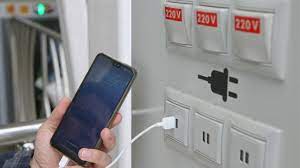
what is Juice Jacking SCAM

  Juice Jacking is a cybersecurity threat that occurs when cybercriminals manipulate public charging stations, such as USB charging ports in...