Monday, 19 March 2012

10 reasons why Windows 8 may appeal to consumers

We have talked a lot about how Windows 8 will mean significant changes for software developers and how Windows 8 will affect (or not affect) businesses. But it’s important to keep in mind that plenty of Windows computers get sold directly to consumers, and those are the sales that are most likely threatened by non-Windows devices right now, like smartphones and tablets. Here are some Windows 8 features that consumers may find interesting.

1: Games

One of the things that struck me about Windows Phone 7 was just how many games were quickly brought over from Xbox Live. Windows 8, with a similar infrastructure under the hood, looks like it will be the same way. I have always been a sucker for unique, quirky games, and by bringing the Xbox Live game set over, we should see lots of those for a low cost on Windows 8.

2: Tablets

Tablets may not be for everyone, but if you are or may become a tablet user, Windows 8 has appeal. It is tough to see how you wouldn’t want to consider a tablet that can potentially run all your existing applications (assuming you get an x86/x64 tablet). Microsoft has worked hard to give Windows 8 a touch-friendly UI, and having used the MetroUI on a Windows Phone 7 device for more than a year now, I think it is a great touch system. I’m eager to use it on a tablet.

3: Messaging

Windows 8 integrates messaging from common providers like Facebook, Live, and Twitter into one spot. It is nice not to have to go to different Web sites and leave a page open to monitor various data streams or get a bunch of third-party applications to do the same. The integrated messaging system is very slick and builds off of the unified contacts system. This is another feature borrowed from Windows Phone 7, and it is a great one.

4: App store

Windows has had an official app store in the past, though it was not terribly obvious and few people used it. With Windows 8, the app store is hard to miss. Not only is it the easiest way to load Metro applications onto Windows 8 devices, it will handle updates automatically too. The days of having out-of-date software or dealing with a zillion update applications is finally over! And if you need to replace a machine, there’s no need to dig up piles of installation discs or remember what apps you installed and downloaded from what sites and hope you still have serial numbers — you can easily reinstall them from the store.

5: Reduced security risk exposure, increased stability

The WinRT API that Metro applications are built on top of is designed to severely limit what Metro applications can do to the underlying system, as well as to user data and with each other. Internet Explorer running in Metro (but not the traditional Desktop) will not allow third-party plug-ins to run at all, either. This may be a curveball for developers, but for users it means that the risk of malware is significantly decreased. It will be very tough for applications to damage the system or affect user data maliciously or inadvertently.

6: Unified UI

Microsoft has been moving more and more of its systems to the Metro UI. With Windows 8, all the big form factors (PC, phone, tablet, and video game consoles) will be using the same UI principles and styling. That makes it a bit easier to get a handle on how to use new devices and new applications across platforms.

7: Cloud sync

Built into Windows 8 is cloud-based synchronization. By signing into a Windows 8 machine with a Live ID, all sorts of unified data is available across devices. For example, when I signed into a fresh Windows 8 Consumer Preview installation, all my Twitter, Facebook, and Live Messenger accounts were immediately established because I use the same Live ID on my phone. Changes I make to this data will instantly be reflected across the board as well. That’s pretty nice. It is especially helpful when replacing a device, because you don’t have to reestablish all these connections or re-import (or re-create) data.

8: Integration with services and applications

As I’ve mentioned, there is some neat integration around messaging and data in Windows 8. The integration goes much deeper, though. For example, My Pictures in Windows used to be nothing more than a directory that got special treatment from Windows Explorer. Now it has the notion of Albums and Libraries, which represent where the pictures come from. Services like Flickr and Facebook are integrated by default as Libraries, and third-party applications can tap into this functionality as well.
Likewise, the People Hub collects information about people you know from a variety of sources (Facebook, email accounts, LinkedIn, etc.) and puts it all in one place. Instead of an application-centric view of data, Windows 8 presents a data-centric view, minimizing the number of places you need to go to get access to data, while at the same time increasing the number of places it can be used.

9: Email

Windows Phone 7 gets a lot of kudos for its excellent email client. This email client has been brought over to Windows 8 and scaled up to the larger screen size. Unlike some previous versions of free email clients bundled into Windows, it is quite capable and for many people will be a significant upgrade. Like other parts of Windows 8, it provides a concentration of data from different places (in this case, email accounts) and presents a unified view that makes it easy to work with and respond to emails.

10: Simplicity

One of the key things in Windows 8 is that if you stick with Metro applications, it is a very simple system to deal with. Power users will not necessarily be thrilled about losing the control that they are used to (although they can still have it if they head to the Desktop on x86/x64 machines). But those who just want to sit down and “get stuff done” will appreciate how the OS gets out of the way and lets you do what you want to do.
Things like the highly reduced maintenance of applications (thanks to the app store), concentration of all email in one place (rather than the need for a native client and a few Web clients), and messaging add up to a simplified experience. You’re no longer switching between dozens of applications and Web pages but working around a small number of Hubs on the system based on your current needs. It is a refreshing change from the current overload of system tray notifications, buzzers, noises, and flashing taskbar icons that typify the current Windows system.

Your take

Do you think the features covered here will be enough to win consumers over to Windows 8? Jump into the discussion and share your opinions with other TechRepublic members.

Thanks & regards,

"Remember Me When You Raise Your Hand For Dua"
Raheel Ahmed Khan
System Engineer
send2raheel@yahoo.com
send2raheel@engineer.com
sirraheel@gmail.com
send2raheel (skype id)

My Blog Spot
http://raheel-mydreamz.blogspot.com/
http://raheeldreamz.wordpress.com/

My Face book pages
http://www.facebook.com/pages/My-Dreamz-Rebiuld-our-nation/176215539101271    @[176215539101271:0]    
http://www.facebook.com/pages/Beauty-of-islam/223983470988333?sk=wall        @[223983470988333:0]               
http://www.facebook.com/pages/Health-is-wealth/289486761065829?sk=wall        @[289486761065829:0]

Monday, 12 March 2012

10 annoying habits your Outlook users need to break

Outlook users probably generate the most annoying calls for support personnel. Word and Excel users want to know how to “do stuff,” but Outlook users usually need something fixed. They’re not malicious mistakes by any means, but Outlook is a complex tool and users are preoccupied with getting their work done — things just happen. Training goes a long way in many cases. If you can teach your users not to do these 10 things, you and your users will all be happier.

1: Clicking Reply All

When someone sends a message to multiple accounts, the recipients can respond to everyone by choosing Reply All instead of Reply. That means some of your users will get responses they don’t need to see. It’s a waste of their time. It’s probably the most annoying thing Outlook users do. There’s no cure for this one except to tell them not to. Some will ignore you, and some will do it accidentally anyway.

2: Using the all list

Many organizations have distribution lists so employees can send the same message to everyone on their team, everyone in the editorial department, all the managers, and so on. But one list usually goes to everyone in the organization. Users rejoice to learn that they can let everyoneknow when their daughters are selling cookies, when they’re going on vacation, when they’ve moved their office, when they’re collecting for a good cause… you see where this is going. This breach of good manners annoys everyone.
Tell your users to use the list judiciously — seldom, if at all. If it becomes a problem, restrict who can use the list.

3: Opening attachments from strangers

Some users see an attachment as a gift — surprise! They just can’t help themselves. You can tell users not to open attachments, but good virus protection will usually protect the system, just in case. That’s the good news. The bad news is, users still open attachments from strangers.

4: Clicking links

Clicking links is fun. They take you to cool sites with all kinds of offers and fun stuff — and embedded controls and scripts that do all kinds of evil things to the system. Most links are harmless, but most users can’t discern a legitimate link from one that leads to a phishing site, hard drive failure, or worse.
Consistent training helps, but experience is the best teacher. Making this mistake carries a heavy fine: The user can’t work until someone fixes the system. It’s also humiliating and can be a bit scary for them. Implement the best software defenses you can, consistently remind users not to click links in unsolicited emails, and hope for the best.

5: Sharing stuff

I can’t help wondering how much bandwidth and storage users waste spreading gossip and sharing angels will save the world chain letters, pictures of their offspring doing adorable things, and so on. Most organizations tolerate this misuse to promote harmony, even if it is annoying and wasteful. It’s hard to put a price on good will.

6: Forgetting passwords

Long heavy mournful sigh, followed by a bit of gentle head banging.
Most users don’t have to password-protect Outlook, but occasionally, you run into a setup where multiple users access their email via the same machine. To access their account, they have to remember their password. Good luck with that.

7: Ignoring messages

Some users just don’t want to communicate via email. They don’t like it and they don’t want it. But in most organizations, email is no longer a convenience; it’s how co-workers interact. Unfortunately, there’s always one or two users who refuse to play nicely, who ignore emails or claim, “I never got that message.” You can try to correct this behavior through training, but it usually turns into a management issue.

8: Sending email to everyone in their address book

Sending an email to everyone in the address book isn’t easy to do — I mean, it’s not easy to do by accident. Yet users still manage to do it. This is especially annoying if Outlook adds every sender to the address book as emails arrive. What a wasteful, annoying mess, especially if you have to get the administrator involved to try to recall them. (Just thinking about calling an admin makes me genuflect uncontrollably.) Training won’t help here. Just say, “Don’t ever do that again.”

9: Deleting necessary items

One of the great support mysteries is why Outlook users delete contacts, only to discover they need them after all. This happens with all Outlook items, in fact: emails, tasks, appointments, and so on. You might encourage users not to be so quick to delete items. Let old items hang around for a while until they’re truly obsolete. The exception is email; no one benefits from a neglected Inbox.

10: Deleting a profile

Outlook profiles relate accounts and settings to specific users. Most users will have only one, but having more than one is an efficient way to keep things separate. For instance, users might want a profile for work and another for home. You can also accommodate multiple users on the same machine  by creating a profile for each user. Unfortunately, they sometimes delete profiles. I’m not sure how or why they do it, but they do.
Thanks & regards,

"Remember Me When You Raise Your Hand For Dua"
Raheel Ahmed Khan
System Engineer
send2raheel@yahoo.com
send2raheel@engineer.com
sirraheel@gmail.com
send2raheel (skype id)

My Blog Spot
http://raheel-mydreamz.blogspot.com/
http://raheeldreamz.wordpress.com/

My Face book pages
http://www.facebook.com/pages/My-Dreamz-Rebiuld-our-nation/176215539101271    @[176215539101271:0]    
http://www.facebook.com/pages/Beauty-of-islam/223983470988333?sk=wall        @[223983470988333:0]               
http://www.facebook.com/pages/Health-is-wealth/289486761065829?sk=wall        @[289486761065829:0]

Sunday, 11 March 2012

Visual Studio 2012 – A Sneak Peek At Microsoft’s Upcoming Product


 -  is all set to release the next increment of its popular development environment. Visual Studio 2010 has made and continues to make a huge impact on the IDE market. I’m a fan of their developer tools, especially when it comes to Visual Studio. The kind of development environment it offers for developers is just seamless!

With so much for me to yet discover and learn about the Visual Studio 2012, i’m excited to discuss about its next version and what all will it be offering to the development community. So here are some of the few fascinating that i have discovered so far; that’ll make it on Visual Studio 2012.
This is a feature that you can use while writing your code. You can maximize the code window by selecting it, thus hiding your solution explorer and the output window.

This was possible before way back in the 1990′s in Visual Basic 6, but now you can do this in Visual Studio 2012. You can pause your code during execution, modify it and then the compiler handles the rest for you.

A real handy feature for all developers.
Will probably help reduce the number of silly mistakes while programming. Useful to compensate the programmer’s forgetfulness, when it comes to adding semi colons at the end of statements. There are potential rumours that the compiler may also add closing brackets and braces. Damn you Microsoft  for making the programmer’s work more convenient and lazy!
A widely embraced feature by most lazy programmers and students. Copying and pasting code picked up from the internet will just become more convenient. Visual studio will now apply its own changes to the copied code and redevelop it for you so that it makes some sense.

EvilCodeMonkey
Visual Studio 2012 IntelliSense
For all those who copy and paste code directly without even thinking for a second now have an evil monkey by their side. This new feature included in the IntelliSense will point out at the part of the code that has to be written the correct way and ask you to Google it on how to do it, as the source points. Again, no candy for Bing eh?
Be it VB, C# or F#, while viewing your code, you can have it translated to any of these languages you wish to view your code in.

Thanks & regards,

"Remember Me When You Raise Your Hand For Dua"
Raheel Ahmed Khan
System Engineer
send2raheel@yahoo.com
send2raheel@engineer.com
sirraheel@gmail.com
send2raheel (skype id)

My Blog Spot
http://raheel-mydreamz.blogspot.com/
http://raheeldreamz.wordpress.com/

My Face book pages
http://www.facebook.com/pages/My-Dreamz-Rebiuld-our-nation/176215539101271    @[176215539101271:0]    
http://www.facebook.com/pages/Beauty-of-islam/223983470988333?sk=wall        @[223983470988333:0]               
http://www.facebook.com/pages/Health-is-wealth/289486761065829?sk=wall        @[289486761065829:0]
 

Sunday, 4 March 2012

NFC Technology – Everything You Need To Know

NFC Technology (Near Field Communication Technology) will bring in the ‘next level’ convenience and sensibility to the way we exchange information. This technology can easily be scaled up to many areas of applicability, which is what makes it another add-on into the list of ‘Next-Big-Things’. Now, lets look at some of the key aspects of NFC Technology including what it is, how it works, NFC in the market place and it’s future.

What is NFC?
NFC stands for Near Field Communication and as the name suggests, the key for this technology lies in devices being in close proximity or contact with each other. Once devices have established the proximity, which is enabled very quickly (0.1 sec), the communication is enabled. The distances in terms for NFC must be very small, usually less than an inch and as such it is different from comparable communications like Wi-Fi and Bluetooth for which there are natural comparisons.

How NFC Technology works
Near field Communication operates through short wave radio transmission. Devices that operate NFC technology like smartphones or PDAs, are equipped with an NFC chip. The process of communication between the chip in one device and the chip in another device is an electronic process called inductive coupling. This coupling is a development of an earlier technology, Radio Frequency Identification (). With RFID, the technology had a ‘send and receive’ process and was used in a one directional format. NFC takes this process to the next level and allows two way communication between NFC devices.

This video talks about how NFC Technology works,

http://www.youtube.com/watch?feature=player_embedded&v=xkuS0DHh5tg

NFC in the Marketplace
The current scope of NFC services is in its infancy in terms of market launch and proliferation. The global range of the product is sporadic and there are a variety of test locations which have embraced this technology, the key markets of USA and Japan are showing a steadily growing rise in the number of transactions as the technology takes hold. In recent surveys, a growing number of people have stated that they would much rather pay using their phone than carry cash. The scope is of demand is being trialled in some key market areas in Europe and Asia with a growing body of evidence revealing general product in performance in France, South Korea, Turkey, United Kingdom and Tanzania.

France offers the earliest evidence of information with NFC technology in operation, during the early May 2010. There, NFC has been used for purchases of civil services like transportation information and ticketing, similar services have been used for the system in South Korea from later in that same year. More recent progress of the technology can be seen in Turkey where, from early 2011 in Turkey up to 55,000 separate retail processes could be operated using the system. A more limited facility (15,000 outlets) mainly through banks and mobile phone companies has been in evidence in the UK through 2011 and Tanzania.

The statistical data on the number of Near Field Communication transactions globally illustrates a growing trend for usage, but one which is only at the tip of the iceberg if general predictions are to be believed. According to statistics released by Juniper Research Visa has issued 20,000,000 NFC enabled cards and Google Wallet can currently operate at 311,000 locations globally. Predictions for the number of transactions to be made using NFC devices over the coming couple of years show a sharp increase to a plausible 50,000,000 global transactions by 2014. The bulk of these will occur in Europe, US and Asia.


Brands already incorporating NFC
It is also estimated the more than 1/10th of the smart phones sold globally were NFC ready devices with many of the major brands including Blackberry, , Google and employing the technology in a range of their handsets. In addition to the handsets. the technology is a part of MasterCard and it can even be found in the Wii controller. Although this claim is yet to be verified, it is rumored that Apple has come on board and has planned to have NFC as part of 5 and .

Emerging markets
The growth of NFC technology is not limited to developed markets either with the rise in usage occurring in a number of emerging markets. A recent report for Financial Firm Citigroup stated that there were,

Future of NFC
I am convinced – as sure as I am sitting here, on my chaise sectional typing this and watching several new devices on a number of well-known auction websites, that Near Field Communication is here and set to be the next big thing. Watch out for stores in your locality promoting the use of paying by handset. With key players like Google and Apple preparing themselves for this market, it is inevitable that NFC (with the era beginning with ) will become a part of our society.

Thanks & regards,

"Remember Me When You Raise Your Hand For Dua"
Raheel Ahmed Khan
System Engineer
send2raheel@yahoo.com
send2raheel@engineer.com
sirraheel@gmail.com
send2raheel (skype id)

My Blog Spot
http://raheel-mydreamz.blogspot.com/
http://raheeldreamz.wordpress.com/

My Face book pages
http://www.facebook.com/pages/My-Dreamz-Rebiuld-our-nation/176215539101271    @[176215539101271:0]    
http://www.facebook.com/pages/Beauty-of-islam/223983470988333?sk=wall        @[223983470988333:0]               
http://www.facebook.com/pages/Health-is-wealth/289486761065829?sk=wall        @[289486761065829:0]


Saturday, 3 March 2012

Microsoft unveils Windows 8 for consumer testing

Microsoft has let consumers start trying out its upcoming touch-based Windows 8 operating system, which aims to power a new wave of computer tablets and traditional PCs designed to counter Apple’s big gains in the market through its Macs and iPads.
The test “beta” version of the revamped system was introduced at the Mobile World Congress in Barcelona, the planet’s largest cell phone trade show, and borrows some of the look of Microsoft’s Windows Phone 7 software for Windows 8.
Windows 8 doesn’t have the traditional “Start” menu, and applications are spread across a mosaic of tiles in a design Microsoft calls “Metro” — seen as an attempt by the company as a scramble to preserve its market share. And executives said it powers up on PCs in eight seconds, much faster than the previous version.
Windows Store
Microsoft is also opening an Internet “Windows Store” where users can download applications for the operating system, but only if they have Windows 8. Applications are free for those testing out the beta version, but would include both free and paid versions after the operating system is released.
The test version was downloaded by people from more than 70 countries as Microsoft gave its presentation about Windows 8, but the company didn’t immediately disclose the number of downloads. The software can be downloaded at
Apple is also moving features from its iPhone and iPad software over to its Mac software. That trend will be particularly visible in Mountain Lion, the new Mac operating system that’s expected to be released this summer.
Windows 8 will also be the first Microsoft software in a long time besides its cell phone software that will run on non-Intel style processors. The company is developing a version that will run on phone-style chips, such as those used in the iPad.
If Windows 8 is a hit, it could help struggling PC makers, including Hewlett-Packard Co. and Dell Inc. Besides giving businesses and consumers a reason to consider new PC purchases, Windows 8 is expected to spawn a new breed of hybrid machines that will be part tablet computer and part laptop like the device that Sinofsky demonstrated.
If Windows 8 is a flop, however, it will increase the pressure on Microsoft CEO Steve Ballmer. His 12-year reign has been marred by the company’s troubles adapting to an Internet-driven upheaval. As Microsoft has stumbled, faster-innovating companies such as Apple and Google have elbowed their way into a position to steer the direction of computing for the next decade or two.
Windows 8 is radically different from its predecessors, with its tiles that provide a glimpse at the activity occurring in applications connected to the Web, such as email.
The system also is expected to enable users to easily back up their pictures, movies, music and other files on a Microsoft storage service called SkyDrive, which will compete against Apple’s iCloud.
Windows 8 could inspire more PC makers to design machines that combine the convenience of tablets with the utility of a notebook computer. These devices would be similar to the so-called “ultrabook” computers that offer a Windows-based version of Apple’s lightweight MacBook Air machines.
Once Windows 8 is available, the ultrabook line could be expanded to include machines equipped with a screen that swivels off the keyboard to take advantage of the system’s touch controls and provide a tablet-like experience.

Thanks & regards,

"Remember Me When You Raise Your Hand For Dua"
Raheel Ahmed Khan
System Engineer
send2raheel@yahoo.com
send2raheel@engineer.com
sirraheel@gmail.com
send2raheel (skype id)

My Blog Spot
http://raheel-mydreamz.blogspot.com/
http://raheeldreamz.wordpress.com/

My Face book pages
http://www.facebook.com/pages/My-Dreamz-Rebiuld-our-nation/176215539101271    @[176215539101271:0]    
http://www.facebook.com/pages/Beauty-of-islam/223983470988333?sk=wall        @[223983470988333:0]               
http://www.facebook.com/pages/Health-is-wealth/289486761065829?sk=wall        @[289486761065829:0]
 

Google’s New Privacy Policy

 
Google’s new move to collect information is not so new in its nature as it has already been gathering all per-existing information.
The policy is based on the simplicity to facilitate Googlers.
According to available data, Google was just a single search engine in 1998 and now it’s an Internet behemoth that has accrued more than “60 product-specific privacy policies.”
Now the users can demand Google to delete their personal information from its records if they want to close their accounts.” Here are five ways to exposure online to minimize it.
1. Disable automatic log-in. Presently user has to sign in to use YouTube, Search and other Google products even if you are not signed into your Google account. On the Accounts Preferences page, you can disable this feature. If you still want to use automatic signing in, you can go into your browser’s privacy settings and clear all cache and cookies.
2.Opt out of ads based on interests and demographics. On Google’s Ad  Preferences page, you can edit or remove the interests Google has determined for you or opt out entirely.
3. Use an anonymizing tool. Anonymizer Company offers a large range of services to keep your personal information safe and secure by overwhelming all your online activity through an translated tunnel.
4. Allow private browsing mode. Most browsers feature a “private” mode, where any online activity won’t be followed. This means the browser will not store search history or cookies, which house data such as sites you visit, preferences and login information.
5. Turn to resources other than Google. There are search engines and other mobile and web services completely unaffiliated with Google. Ixquick, for example, calls itself “the world’s most private search engine. “DuckDuckGo” search engine does not collect or share personal information too.
Google says: “Google just rolled out a streamlined privacy policy that consolidates your personal information for use across various Google-owned services. Despite some criticism and accusations of an Orwellian Big Brother scenario, the updated policy’s goal, is “to create one beautifully simple and intuitive experience.”


Thanks & regards,

"Remember Me When You Raise Your Hand For Dua"
Raheel Ahmed Khan
System Engineer
send2raheel@yahoo.com
send2raheel@engineer.com
sirraheel@gmail.com
send2raheel (skype id)

My Blog Spot
http://raheel-mydreamz.blogspot.com/
http://raheeldreamz.wordpress.com/

My Face book pages
http://www.facebook.com/pages/My-Dreamz-Rebiuld-our-nation/176215539101271    @[176215539101271:0]    
http://www.facebook.com/pages/Beauty-of-islam/223983470988333?sk=wall        @[223983470988333:0]               
http://www.facebook.com/pages/Health-is-wealth/289486761065829?sk=wall        @[289486761065829:0]
 

Networking No No’s!


We have seen the importance of social media in our personal lives and we have also seen its effectiveness when it comes to our careers. These social networking websites have both work and play to offer; however, in the excitement of it all we do go overboard by mixing the two together. Be mindful one should have a clear partition between the personal and professional aspect. This article covers the five most ineffective networking practices

1. Not Keeping in Touch
Most of the times when we add someone to our buddy list, we don’t think twice before clicking the “add friend” button. Once added, we forget about them – not keeping in touch is considered very rude and if the person you recently added happens to be a professional, my friend you just hammered your own foot. Following up with your contacts is very important, once you establish connections with other professionals express your interest and show you are keen to keep in touch. Remember your interaction; make notes if you have to so the next time you interact you are up to date.
2. Pointless Profile Activity
Social networking websites are just like meetings; some are “hang outs” where you can crack jokes, relax and kick back – while others are like “meetings” or “formal gatherings” where you are required to wear particular attire and expected to behave accordingly. Posting inappropriate links, starting pointless discussions or making childish comments will only make your profile weaker. Imagine, you are at a formal dinner with your parents, you see a few people your age, the rest are all grownups with silver hair and aged foreheads, how would you feel if one of the people your age starts hammer time right in the middle of the tables? Doesn’t sound like a good idea; does it? Same is the case here; make sure your posts, comments and replies are appropriate and in accordance with the nature of the site.
3. Making Insignificant Impressions
When we talk about impressions, they should be strong and long lasting. A memorable experience will speak volumes for a long time, so make sure every interaction you have, leaves a strong impression. Interact in a way that evokes emotion and feelings, you should be mindful of your abilities and market yourself well with all you have.
4. The True Meaning
Often professionals would like to employ networking websites to sell themselves or add to their card collection. Take the time out to know people around, talk about common interests share views and discuss accordingly. Try to develop and maintain a healthy relationship and if you can volunteer your services. It is all about making contacts, right?
5. Big Mouth
We like to have our minds heard, and it is alright as long as you don’t overdo it. Pay attention to what is going on, what are people talking about, what is that discussion about? If there is a particular topic being discussed and you feel like commenting, make sure your information is correct and up to date. Focus on the people you meet by listening to what they say and try to remember the interaction. A positive upbeat attitude will speak for your personality; it will also allow others to feel more comfortable with you. Even if you are going through some tough times, tell it in a way that is light and positive.
Other than the five points mentioned above, the “profile picture” also seems to be an issue. Let it be clear, on a professional networking website no one wants to see the size of your biceps, or that posh car you have – and surely they have no interest in how good you look with that double shadow eye shade or how pretty your hands look with a French manicure. Your profile picture should be “modest enough” preferably with you wearing something formal. That picture you have on your profile is the first thing other people might see and not all of them will be willing to give you a second chance to improve on your impression.
Having an awareness of these ineffective networking strategies improves your chances with your competition. There are many professional networking websites with a number of high key professionals actively participating; make sure you send out the right impression, you never know the person you are interacting with might be willing to offer you the position of your dreams.

Thanks & regards,

"Remember Me When You Raise Your Hand For Dua"
Raheel Ahmed Khan
System Engineer
send2raheel@yahoo.com
send2raheel@engineer.com
sirraheel@gmail.com
send2raheel (skype id)

My Blog Spot
http://raheel-mydreamz.blogspot.com/
http://raheeldreamz.wordpress.com/

My Face book pages
http://www.facebook.com/pages/My-Dreamz-Rebiuld-our-nation/176215539101271       
http://www.facebook.com/pages/Beauty-of-islam/223983470988333?sk=wall                      
http://www.facebook.com/pages/Health-is-wealth/289486761065829?sk=wall

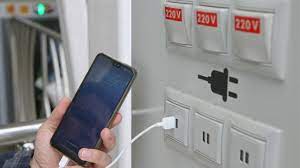
what is Juice Jacking SCAM

  Juice Jacking is a cybersecurity threat that occurs when cybercriminals manipulate public charging stations, such as USB charging ports in...