Monday, 3 August 2015

HOW TO REMOVE READONLY FROM CMD


HOW TO REMOVE READONLY FROM CMD

 i will show how to remove readonly error from pendrive and memory card.and how  to make pedrive  write protected  or how to remove write protection from pendrive.there are many uses of this as we can protect our personal data from deleting or accidental  format.

How to do this

1.First click win key+R key a run window will open type CMD in it and press enter.

a black window will open like below image.

2.Then type   diskpart  then hit enter.A new window will open then type list disk.

3.Then select your disk by typing  select disk6

where 6 is your disk number as shown in the picture.

3.Then type attributes disk clear readonly     then hit enter a "Disk attribute cleared successfully" will be displayed.

now your write protection is removed from your pendrive or Sd card.

 How to Set write protect pendrive again

=> just type attributes disk  set readonly hit enter "disk attributes set successfully" will be displayed. that means you have set your pendrive or sd card write protected.

If You have any problem you can ask in comment section.happy learning.

Sunday, 2 August 2015

Boost Your Computer Startup

Boost Your Computer Startup


Start up must have less no. of applications. So that computer will start within a minutes. But how to check that how much applications are present in start up?
Here I will show you how to check the no. of applications present in start up and by removing these application how the PC will start with fast speed.

Steps:

1. Click on Start Menu then in search bar type as “Run”, then it opens Run Window as I shown in below image. Just type “msconfig” in that and click on “OK” button.

Step%2B1

2. Then it will open the window as “System Configuration” as shown in bellow image. You will see different tabs are present in that. Just click on “Start up” tab present in the second last option in tab list.

3. Then it will show you the list of applications present at the computer’s start up. Just remove the tick present in front of the application which is unnecessary, as shown in below image. Then click on “OK” button.

Step%2B3

4. After that it will ask you to restart computer immediately or later. Just click on “Restart” and see the magic. Your computer will start up with fast speed.

Step%2B4

Enjoy with this trick guys…!!!

Saturday, 1 August 2015

10 great new features in Windows10

10 great new features in Windows10


1. There's loads of stuff for touch, but it's different stuff
Designed to appeal to experts and novices alike, Microsoft was at pains to point out that it hasn't given up on touch with the new OS. The Charms bar remains for the moment although we expect it to die if you're using a non-touch PC (check out Continum below).
Microsoft says it wants to support touch users who have persevered with Windows 8 and "evolve" the touch UI. (Translated: That means it is changing quite a bit.) The task switching will no longer work on the left. So with that and the charms going, that's goodbye to most of the problem with Windows 8 - and a whole philosophy down the pan.
Microsoft's Joe Belfiore said at the preview: "We want Windows 7 users to feel like they upgraded from a [Toyota] Prius to a Tesla, but they don't need to learn a new way to drive.


2. It's BACK!
As we've covered before, the e most noticeable change is the new Start Menu, which looks somewhat like the old start menu. It brings some features from the Windows 8.1 Start Screen, such as live tiles, and can be resized.

3. Another new Task View (the Windows 8 flippy thing has gone)
Now the Windows 8 task switcher has been unceremoniously dumped, there's a new Task View in Windows 10, too, so users can switch between virtual desktops.That's because Microsoft now recognises that novice users use the taskbar rather than switching in other, cleverer, ways such as Alt+Tab (which also now switches between desktops).


4. Snap Assist helps you snap windows
A new Snap Assist feature also helps users work out which way is best to snap apps to. You can snap windows into new screens and tile Windows - just as you've been able to since Windows 2.0 or maybe 3.0.


5. The Command Prompt enters the 21st Century
Another quite amazing feature for those of us that use it is that the command prompt is now getting keyboard shortcuts! So you will be able to paste in your commands! Hardly groundbreaking, but actually pretty exciting.


6. Improvements to Windows Explorer
A new Home location is the new default view in Windows Explorer. There's also a Share button on the Windows Explorer taskbar (we really hope this is in the context menu, too).


7. Continum - the special one
This is the best new thing we found out today. Continum is an on-the-fly mode for 2 in 1 devices that can automatically change mode if it detects there is suddenly no keyboard attached. So, for example, a back button appears to help you navigate the Desktop with touch if the keyboard is removed. We reckon the charms will also disappear in non-touch mode, although we've heard conflicting news about that.


8. Windows 10 Universal apps
Windows 10 will also usher in a new app model - Universal Windows apps. Windows Universal apps are the new name for Metro apps/Modern apps/Windows Store apps. Take your pick on those old monikers, they've got a new one! Presumably (although we don't know as yet) that these will also work on Windows Phone. Windows 10 will be able to run on all devices from phones to servers and there will be a single app store across the lot.

All older Windows Store apps will work with Windows 10.


9. Modern (sorry, Universal) apps now float on the Desktop
The new Universal apps also work on the desktop and 'float' in their own Windows. Microsoft wants to banish the separation between the Modern UI and the Desktop.
These 'modern' apps on the desktop have a ... icon for more options - replacing the commands that used to be in the charms on the right-hand side of the screen


10. Windows 10 has lots for Business and Enterprise
Microsoft says it hopes to appeal to business with this release of Windows, more so than Windows 8 ever did. Belfiore said they were "starting the dialogue with businesses today".
To be honest, it needs to - Windows XP is now ancient and unsupported, while precious other businesses want to make the leap away from Windows 7. But part of the reason why Microsoft is demonstrating the OS without all the consumer features is to show enterprises what the OS is capable of at this stage.
This version of Windows will have plenty of other features for enterprise, including a customised store and protection for corporate data. Mobile Device Management will be able to be used for all devices.

Windows 10 will keep personal and corporate data separate.


Thanks & Regards,

"Remember Me When You Raise Your Hand For Dua"
Raheel Ahmed Khan
System Engineer
send2raheel@yahoo.com
sirraheel@gmail.com
send2raheel (skype id)

My Blog Spot 
http://raheel-mydreamz.blogspot.com/


Saturday, 4 April 2015

Nokia Was The Source Of Windows Leaks, Claims WZor


There is a sense of security these days. At least when it comes to Microsoft software, if nothing else. Windows leaks seem like they are now part of a distant past.

Which is true, considering we did not get leaked early build of Windows 10.

Part of that is because Redmond really amped up security of its products that are under development. And at the same time the company imposed new measures to prevent such leaks from happening in the first place, including providing access to early test builds to only a few, select partners.

Result being, Windows 10 has become the first Microsoft operating system in years that was not leaked in any capacity ahead of launch.

This has led WZor, the famous leak group, to talk about this, revealing that their main source of Windows leaks was Nokia. It appears that the telecom giant and some of its partners received early access to Microsoft products, which they passed onto WZor.

It could possibly be that someone in Nokia collaborated with the famous leak group — someone that had access to these operating systems and software from Microsoft.

And it were not only the bits that leaked.

Plenty of time information and screenshots on these projects in development reached the web, and very often these served to stir interest in what Microsoft was developing. Or planning.

Regardless, Redmond no longer tolerates leaks these days, and prefers to release the ISO files itself. No wonder there was talk that each test build of Windows 10 was individually signed with a unique code, meaning if anyone leaked a copy on the web, it would have been easy to find out who did it.

Still, the Nokia connection is rather surprising.

Suddenly, the phrase “Connecting People” has an all new meaning to it!


Windows 95 The Reason Why Microsoft Skipped Windows 9


makes sense on some levels, while remains perplexing on others. It is being said that Windows 95 is the reason why Microsoft skipped out on the Windows 9 name.

Redmond took everyone by surprise a couple of days back by announcing that its next operating system will be called Windows 10 — instead of names like Windows, Windows 9 and Windows Threshold that were being thrown around.

While we don’t have an official reason to go by, a Reddit user claiming to be a Microsoft developer has shed some light on this.

Speculation is that Microsoft decided to skip Windows 9 and go directly to Windows 10 because of Windows 95. And this because some third-party applications could incorrectly identify the version of Windows running on a computer.

And the reason for this?

The developer explains that a lot of software programs check for “Windows 9*” on a target computer, and it is this wildcard in the syntax that might cause the operating system to be identified as an old one.

Shades of the Y2K bug, don’t you think?

However, as Engaged writes, a similar issue arose some 10 years back with Windows 2000 and a few Pentium processors (remember those?), but that actually affected a lot fewer customers.

Still, wise of Microsoft to avoid any such potential errors in the future.

The software titan is very much entering a new phase, a new era, and the Windows brand is now going to be left, right and center of its new strategy. Best to play it safe, even it results in giving the operating system a wholly unexpected new name.


Intel, AMD Going All In With Windows 10 Tablets


Tablets still are an unconquered domain for Microsoft, and the plan is for Windows 10 tablets to take things to another level in terms of both performance and pricing.

Intel and AMD, the two chip giants, are two central figures for this plan to succeed.

Both companies continue to push their tablet oriented solutions, even as the tablet market is showing signs of fatigue — at least in terms of growth. Large screen smartphones and phablets have started to impact tablet sales.

For example, 7-inch tablets used to dominate with well over a 70% market share not too long ago, and this has now fallen to around the 60% mark, primarily thanks to handsets with larger screens.

According to this report, though both Intel and AMD are ready to unleash their new tablet platforms.

Intel is set to release Cherry Trail, early in the first quarter of 2015, with volume production on track to begin in March. This new processor platform is based on a 14nm process, and will be available for both Windows and Android tablets.

Expect a plethora of such solutions from brand vendors and Chinese white label companies by the time Windows 10 makes its public debut.

AMD is not out of the game, either. If anything, it’s just getting in.

The company has its Nolan and Armur platforms in the pipeline. The former utilizes an x86 architecture, while the other is a heterogeneous system architecture (HAS) specifically for Android and Linux slates.

With several new third-party hardware manufacturers on board, Windows 8.1 tablets are just now starting to make their impact. Windows 10 promises a similar response, provided Microsoft keeps up its current pricing strategy for tablets.


The US government under attack by Google over internet privacy rule change


For the past few years, the US government has been under attack a couple of times over its way of handling internet privacy. In 2013, former CIA system administrator Edward Snowden leaked to the mainstream media the NSA’s tools for operating an alleged “global surveillance network” over the internet. In 2014, German chancellor Angela Merkel was enraged by reports of alleged American spying on German citizens, as well as on Merkel herself. Now, in 2015, the internet search giant Google is taking a formal stand against the US government concerning its plan to amend what is known as Rule 41.

Rule 41 is one of the federal laws of criminal procedure, concerning the issuing of search warrants. Basically, the current rule allows a judge to issue a digital search warrant only within the boundaries of his or hers judicial district. According to the Justice Department, this rule became archaic and obsolete as far as criminal investigations of computers are concerned, because today’s technology makes it easy for any user to be able to completely hide the location from which he or she is operating.

When the FBI needs to seize computer data related to a violation of US laws, says the Justice Department, it needs to be able to do so without first finding the computer’s physical location.

Richard Salgado, Google’s director for law enforcement and information security, strongly objects. The amendment suggested to Rule 41, he says, implicates that the US government would in effect be allowed to carry out digital search warrants in computers across judicial borders. This, says Salgado, is both in contradiction of the US constitution 4th amendment, which protects people from unreasonable seizures and searches, and also gives the US government the power to spy on any computer in the world. As Salgado says, this is a matter concerning both the privacy of US citizens and the US recognition of the sovereignty of other nations, and should be decided by congress.

The Justice Department responds that the subject matter has been blown out of proportions and is merely a “tweak of protocol”. It does not, says the JD, grant the US government any authorization to carry out any form of digital search and seizure techniques not already permitted by law. The JD adds that just like in real-life search warrants, investigators are careful not to create any collateral damage, and of course not to overtake any sovereignty of any nation or other judicial body.

The proposed rule change, for which the public comment period has already ended, has so far gone unnoticed by the public, even though some privacy and civil-liberties groups have objected to it. It wasn’t until Google joined the objection, becoming the first and so far only major tech firm to do so, that the subject matter caught the public’s attention. The main objection of all parties involved is that the wording of the current rule change is “far too vague”, and that only congress should decide whether to extend the JD’s powers to investigate computers and computer data.
With all the objections, the change to Rule 41 still has a long way to go. It is expected to go for review by the supreme court and by congress. Now, as public awareness grows and the subject of network privacy is making headlines, it will be interesting to follow its course and see how the world we live in is affected by the changes brought by the digital age.


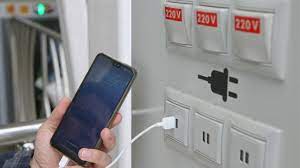
what is Juice Jacking SCAM

  Juice Jacking is a cybersecurity threat that occurs when cybercriminals manipulate public charging stations, such as USB charging ports in...