Saturday, 28 April 2012

What is ISDN?


ISDN stands for Integrated Services Digital Network. It is a set of standards used to digital transmission of voice and data over already existing telephone line. The ISDN uses the multiplexing technique to carry three or more data signals at once through the telephone line. The data transfer speed of ISDN line is very fast than old dial-up connection. ISDN connections are more useful in applications like videoconferencing, to run online movies and upload and download heavy files. In ISDN line, both ends of connections require the ISDN modem and a special telephone set for voice communication.

Basically ISDN divides its total bandwidth into three channels. The basic two channels send data at the speed of 64 Kbps and third one at the speed of 16 Kbps. The 64 kbps channels carry data, voice, image and movies and 16 Kbps channels carry single information and link management data. A computer connected to ISDN service can use both channels. ISDN is twice as fast than a dial-up connection but not much expensive. Its data transmission speed is up to 128 Kbps.

DSL is much easier to install and provides much faster data transfer rate. ADSL connections are more useful in applications like videoconferencing, to run online movies and upload and download heavy files. This connection is ideal for today business requirements.

Thanks & Regards,

"Remember Me When You Raise Your Hand For Dua"
Raheel Ahmed Khan
System Engineer
send2raheel@yahoo.com
send2raheel@engineer.com
sirraheel@gmail.com
send2raheel (skype id)

My Blog Spot
http://raheel-mydreamz.blogspot.com/
http://raheeldreamz.wordpress.com/

My Face book pages
http://www.facebook.com/pages/My-Dreamz-Rebiuld-our-nation/176215539101271    @[176215539101271:0]    
http://www.facebook.com/pages/Beauty-of-islam/223983470988333?sk=wall        @[223983470988333:0]               
http://www.facebook.com/pages/Health-is-wealth/289486761065829?sk=wall        @[289486761065829:0]

Friday, 27 April 2012

What is IDSL?


ISDL is a hybrid of ISDN and DSL (Digital Subscriber Line) technology that uses a little of each to deliver a service that is slightly faster than ISDN, but significantly slower than most DSL services. A person might opt for ISDL if standard DSL service is not available in his or her area.

Standard ISDN (Integrated Services Digital Network) service uses existing copper telephone lines to deliver data transfer speeds up to 128 kilobits per second (kbps). It also provides voice channels for telephone and fax, making it superior to standard dial-up, which cannot share an Internet connection with a telephone or external fax machine. Standard dial-up is also much slower than ISDN at about 53 kbps. However, ISDN is still a dial-up service, as opposed to an “always on” service like DSL.

IDSL uses the same technology as ISDN except that it routes the signals through different equipment at the Phone Company or Telco. While ISDN uses the standard switching equipment, IDSL uses DSL-like equipment. The difference is two-fold: an increase in speed to 144 kbps, and an “always on” connection.

IDSL can be expensive to set up, but may be worth it to businesses or individuals that require faster service without the option of DSL. One of the advantages of IDSL over DSL is that the former is not limited by distance from the Telco. To be a DSL subscriber, the client must be within the limit of 18,000 wire-feet (5,486 wire-meters) from the Telco hub. If the residence or business falls at the outer limits of this range, the maximum speed of the DSL connection will be significantly reduced and signal quality will not be optimal. The closer to the Telco hub, the better the DSL service. IDSL does not have this limitation, allowing clients at further distances to have an “always on” connection.

One drawback of IDSL is that it requires its own telephone line for the IDSL service, while a second line provides phone services. This makes it more expensive than ISDN.

Ascend Communications developed IDSL technology. If you think it might be the right solution for your needs, contact your local telephone company to ask about ISDN or IDSL services in your area.

Thanks & Regards,

"Remember Me When You Raise Your Hand For Dua"
Raheel Ahmed Khan
System Engineer
send2raheel@yahoo.com
send2raheel@engineer.com
sirraheel@gmail.com
send2raheel (skype id)

My Blog Spot
http://raheel-mydreamz.blogspot.com/
http://raheeldreamz.wordpress.com/

My Face book pages
http://www.facebook.com/pages/My-Dreamz-Rebiuld-our-nation/176215539101271    @[176215539101271:0]    
http://www.facebook.com/pages/Beauty-of-islam/223983470988333?sk=wall        @[223983470988333:0]               
http://www.facebook.com/pages/Health-is-wealth/289486761065829?sk=wall        @[289486761065829:0]

Wednesday, 25 April 2012

How do I use an HD TV as my computer monitor?


How do I use an HD TV as my computer monitor?

Many modern HDTV’s include two popular options for connecting your computer. Older computers (and some recent ones) will use a connection called Dsub (or VGA), and is usually a blue tipped 15 Pin connection on the back of your computer. It uses a male to male cable VGA cable to plug into the PC on one end and the TV on the other. It only transmits video, so you’ll also need to connect an audio cable from your computers speaker port to the audio input. Dsub can be be labeled VGA, PC IN, Monitor or Dsub, depending on your TV.
Newer computers will include a HDMI output, which is a flat male to male ended cable which transmits both video and sound, and is capable of displaying at the highest resolutions. If your computer includes a HDMI connection, it is the best way to connect it to a HDTV.
Once you connect your computer you must make sure to reference your TV’s manual for the proper resolution settings for your computer, as a 720p TV or 1080p TV will have a different resolution then most typical computer monitors. You can change the resolution by going to Display in Control Panel in Windows or System Preferences > Display on a mac. It is always recommended to use the native resolution of the TV as described in the manual.


Thanks & Regards,

"Remember Me When You Raise Your Hand For Dua"
Raheel Ahmed Khan
System Engineer
send2raheel@yahoo.com
send2raheel@engineer.com
sirraheel@gmail.com
send2raheel (skype id)

My Blog Spot
http://raheel-mydreamz.blogspot.com/
http://raheeldreamz.wordpress.com/

My Face book pages
http://www.facebook.com/pages/My-Dreamz-Rebiuld-our-nation/176215539101271    @[176215539101271:0]    
http://www.facebook.com/pages/Beauty-of-islam/223983470988333?sk=wall        @[223983470988333:0]               
http://www.facebook.com/pages/Health-is-wealth/289486761065829?sk=wall        @[289486761065829:0]

Thursday, 19 April 2012

What is Bluetooth Technology?


Bluetooth is a wireless technology that enables any electrical device to wirelessly communicate in the range of 2.5 GHz ISM frequency band. Mobile phones, headsets, PDA's and portable computers can communicate and send data to each other without wires or cables to link to devices together. The name of Bluetooth derived from the name of an English king Harold Bluetooth.

It a low cost, low power, radio technology, which is particularly suited to the short range Personal Area Network (PAN) application. Bluetooth Special Interest Group is authorized to develop its specifications & license.

The Main Features of Bluetooth are given below:

    It operates in the 2.4GHz frequency band without having a license for wireless communication.
    Up to 10-100 meters data can be transfer in real time.
    Close proximity & accuracy is not required for Bluetooth as in case of infrared data (IrDA) communication device. Bluetooth does not suffer from interference from obstacles such as walls while infrared suffers due to obstacles.
    Bluetooth supports both point-to-point and point-to-multipoint wireless connections without cables between mobile phones and personal computers.
    Data transfer rate of blue tooth varies from version to version. Data rate of 1 Mbps for Version 1.2 Up to 3 Mbps for Version 2.0.

Then major parts of Bluetooth system are RF transceiver, base band, and protocol stack. Bluetooth is used for small-area networking without user intervention. Due to extremely low transmission power in Bluetooth technique battery power is saved. It is a networking standard that works at two levels: 

·         Physical level.

·         Protocol level


Due to these levels mobiles have to agree on these levels when bits are sent. It decides the amount of data to be sent at a time, and how the parties in a conversation can be sure that the message received is the same as the message sent.

Bluetooth networking transmits data through low-power radio waves. It can connect up to eight devices simultaneously. With in the range of about ten meters you must think that the devices will not interfere with each other. Bluetooth solved the problem of devices interference while sending the data by using the technique of Spread-Spectrum Frequency Hopping due to which devices may transfer data at the same frequency at the same time. The question rises here is how Bluetooth send the same data using same frequency band without devices interferences? In Bluetooth technique, transmitters change frequencies 1,600 times in every second. In this way devices can make full use of a limited band of the radio spectrum.

When Bluetooth devices came into the range of each other, conversations take place automatically. This conversation automatically determines whether they have the data to share or not. In this way Bluetooth devices not only share the data but also control the data to be transferred. When the connection is established, the devices either they are part of a computer system or a network, Bluetooth systems create a personal-area network.

The technology used in Bluetooth also provides security in three ways:

·         Pseudo-random frequency hopping,

·         Authentication,

·         Encryption.

Frequency hops make it difficult for anyone to eavesdrop. Authentication allows a user to limit connectivity to specified devices. Encryption uses secret keys to make data intelligible only to authorized parties.

Service-level security and device-level security work together to protect Bluetooth devices from unauthorized data transmission.

Many serious problems create only due to improper security issues. Some of them are given below:

    Blue jacking
    Blue bugging
    Car Whisperer

Blue Jacking

It is used to send a business card in the form of text message via Bluetooth to other users. It should be noted that the distance between two users is not more than 10 meters. If the user doesn't found the proper text, he should add the contact to his phone book. After saving his contact in his address book retry to send the same message. In this way the user can get business card from other user via Bluetooth. Its all because of the known destination from where the massage is being coming.

Blue Bugging

Due to this hackers can access users phone. It not only access one's mobile phone, but also use its features including placing call, messaging. Even though the user doesn't realize its happening.

Car Whisperer
Car whisper is a type of software due to which hackers can send and receive audio file from a Bluetooth-enabled car stereo. 

Thanks & Regards,

"Remember Me When You Raise Your Hand For Dua"
Raheel Ahmed Khan
System Engineer
send2raheel@yahoo.com
send2raheel@engineer.com
sirraheel@gmail.com
send2raheel (skype id)

My Blog Spot
http://raheel-mydreamz.blogspot.com/
http://raheeldreamz.wordpress.com/

My Face book pages
http://www.facebook.com/pages/My-Dreamz-Rebiuld-our-nation/176215539101271    @[176215539101271:0]    
http://www.facebook.com/pages/Beauty-of-islam/223983470988333?sk=wall        @[223983470988333:0]               
http://www.facebook.com/pages/Health-is-wealth/289486761065829?sk=wall        @[289486761065829:0]

Tuesday, 17 April 2012

Ten Steps to a Healthy and Easily Maintainable Wide Area Network


1.   Have a working modem attached to the maintenance port or console of your networking equipment, so your maintenance provider can quickly diagnose problems.

2.   Maintain an up-to-date cable diagram and label all cables, wall jacks, etc., so that problems can be quickly isolated and cables can be quickly identified and reconnected should they ever be disconnected.

3.   Have WAN circuit info documented and readily available (i.e. circuit id, vendor, contact, phone numbers) for sales and trouble calls.

4.   Mount equipment so it is easily accessible, front and rear.

5.   Have good power. Have your electrician put in ample outlets on a dedicated circuit. Consider a UPS or surge suppressor. Always provision additional power outlets for test equipment and for ease of expansion.

6.   Don't skimp on cables. Ensure that the cables and connectors you utilize meet the specifications for the application they are being used in. Never use a cable that does not meet the specification, even if it works in the short run. In the long run , you may very well have all kinds of problems. You may save
money in the short run, but lose a lot of time later trying to isolate a intermittent cable fault.

7.   Take anti-static precautions. If the floor in your comm. area is carpeted, install an anti-static mat.

8.   Have a telephone within easy reach of your equipment - this can be a big time saver in the event of a problem. Testing of WAN circuits often involves end-to-end tests, and point-to-network tests with the local RBOC and Common Carriers. These tests require a telephone near the equipment.

9.   Try to have your equipment in a dry, temperature-controlled, and well-lighted area.

10.  Have all cables and power cords firmly attached and/or tied down. Use plastic cable tie wraps to secure cables, and to ensure that the strain on the cable ends is minimized. Always keep cables from areas where they might be walked on, stepped on, or otherwise damaged. Improper cable strain relief and installation procedures are a common cause of network failures.

Thanks & Regards,

"Remember Me When You Raise Your Hand For Dua"
Raheel Ahmed Khan
System Engineer
send2raheel@yahoo.com
send2raheel@engineer.com
sirraheel@gmail.com
send2raheel (skype id)

My Blog Spot
http://raheel-mydreamz.blogspot.com/
http://raheeldreamz.wordpress.com/

My Face book pages
http://www.facebook.com/pages/My-Dreamz-Rebiuld-our-nation/176215539101271    @[176215539101271:0]    
http://www.facebook.com/pages/Beauty-of-islam/223983470988333?sk=wall        @[223983470988333:0]               
http://www.facebook.com/pages/Health-is-wealth/289486761065829?sk=wall        @[289486761065829:0]

Monday, 16 April 2012

Mobile Tips and Tricks


 Tips on Mobile Maintenance  

Looking after your mobile helps to ensure it has a long and productive life.  There are 8 easy maintenance tips to help you get the best out of your mobile phone. All of the points below should also apply to your battery, charger and any other accessories.

KEEP YOUR MOBILE:

=>Charged: Ensure your battery is fully charged, and then completely run it down before recharging. Recharging too early causes your battery to run out of power more quickly. 
   
=>Secure: For security reasons, enable the PIN on your SIM Card and Phone-lock on your phone to avoid unauthorized used. These security checks will also be activated when the phone is power cycled. You can check with your carrier or the phone manual for the features and also for information on blocking your SIM card and phone IMEI number if the phone is stolen. For more information please see the Security Tips located on the AMTA Lost and Stolen website.
   
=>Protected: Make sure you use a keypad lock to lock your phone. Unplanned calls can cost a fortune and even though your phone may be in a safe place, such as in a bag, your phone will still get knocked around to a surprising degree. Rough treatment can damage electronic circuit boards so avoid dropping or unnecessarily shaking your phone.
   
=>Battery: Be safe with your batteries. Use only genuine batteries from your phone manufacturer and only buy from authorized dealers. Going for the cheap option of a counterfeit battery can be dangerous.
   
=>Clean: Don't use harsh detergents, cleaning solvents or harsh chemicals to clean your phone. Wipe only with a soft cloth.
   
=>Covered: a protective cover will help repel dust and dirt, and prevent scratches. Make sure the cover you choose is of good quality. Low quality covers with no air pockets can damage you phone by creating humidity inside the cover.
   
=>Storing your phone: Always store your phone in a dry place. Avoid rain, high humidity and liquids. All of these may contain minerals that could corrode the electronic circuits.
   
=>At the right temperature: To ensure a long life, keep your phone in a stable temperature. Avoid exposing your phone to liquid and/or exposing your phone to extreme temperature change from hot to cold and vice versa. This might create condensation and damage the phone.

Thanks & Regards,

"Remember Me When You Raise Your Hand For Dua"
Raheel Ahmed Khan
System Engineer
send2raheel@yahoo.com
send2raheel@engineer.com
sirraheel@gmail.com
send2raheel (skype id)

My Blog Spot
http://raheel-mydreamz.blogspot.com/
http://raheeldreamz.wordpress.com/

My Face book pages
http://www.facebook.com/pages/My-Dreamz-Rebiuld-our-nation/176215539101271    @[176215539101271:0]    
http://www.facebook.com/pages/Beauty-of-islam/223983470988333?sk=wall        @[223983470988333:0]               
http://www.facebook.com/pages/Health-is-wealth/289486761065829?sk=wall        @[289486761065829:0]

Sunday, 15 April 2012

Mobile Tips and Tricks


Mobile phone viruses,  simple measures to protect yourself   

The Australian Mobile Telecommunications Association (AMTA) has developed consumer tips to assist users to protect themselves against the risk of mobile phone viruses.

This guide explains what viruses are, how they spread, and what can be done about them.

 What’s a mobile phone virus?

A mobile phone virus or mobile malware - malicious mobile software - is a computer virus specifically adapted for the mobile phone environment and designed to spread from one vulnerable phone to another.

A virus is a program code that replicates by being copied to another program. Viruses can be transmitted as attachments to an email or in a download file. Some viruses take effect as soon as their code is executed; other viruses can lie dormant. A virus that replicates by resending itself as an email attachment or as a part of a network message is known as a worm.

Viruses can range from benign to quite harmful; they can erase data from the infected phone or send fake messages purporting to be from the phones owner. How prevalent are mobile phone viruses? The current security risk from mobile phone viruses and worms is low.

Until many more smart phones or PDAs are in use, and users of these phones are regularly exchanging executable files, the risk will remain low. The mobile industry takes the threat of viruses very seriously and is continually monitoring its networks and working to protect users from any future risk from mobile phone viruses. There are also some simple measures that individual users can implement to protect themselves.

What can I do to protect my phone?

The following tips can help prevent problems with viruses on your phone:

1. Switch to Bluetooth hidden mode. If your phone has Bluetooth capability, ensure that the Bluetooth capability is switched to hidden or invisible mode unless you specifically need it to be visible. This will help prevent other Bluetooth-enabled devices from finding your phone (unless you grant them the necessary permission) and will therefore help protect your phone from worms that spread using the Bluetooth wireless technology.

2. Exercise caution before opening attachments. When accepting applications sent via Bluetooth, or opening MMS attachments, exercise caution, just as you would when opening an email attachment on your PC, because they may include harmful software. Ensure the application or attachment comes from a known source, and is wary of opening files that have unfamiliar text attached to them, even if they come from someone you know.

3. Only download content from a trusted source. Trusted sources may include operator portals and other well-known brands that offer adequate protection against viruses and other harmful software. Be aware though that, as with emails, malicious or fraudulent users may be able to fake the appearance of a trusted source.

4. Consider anti-virus software. Some software is available to prevent phone viruses. You may wish to consider downloading this software.

5. Contact your phone manufacturer if concerned. If you think you have a virus, call the phone manufacturer’s care line. They can assist you confirm if it is a virus, and help fix the problem.

Thanks & Regards,

"Remember Me When You Raise Your Hand For Dua"
Raheel Ahmed Khan
System Engineer
send2raheel@yahoo.com
send2raheel@engineer.com
sirraheel@gmail.com
send2raheel (skype id)

My Blog Spot
http://raheel-mydreamz.blogspot.com/
http://raheeldreamz.wordpress.com/

My Face book pages
http://www.facebook.com/pages/My-Dreamz-Rebiuld-our-nation/176215539101271    @[176215539101271:0]    
http://www.facebook.com/pages/Beauty-of-islam/223983470988333?sk=wall        @[223983470988333:0]               
http://www.facebook.com/pages/Health-is-wealth/289486761065829?sk=wall        @[289486761065829:0]

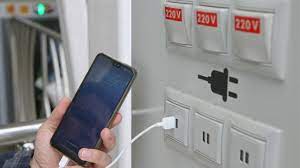
what is Juice Jacking SCAM

  Juice Jacking is a cybersecurity threat that occurs when cybercriminals manipulate public charging stations, such as USB charging ports in...