Thursday, 15 September 2016

Android vs. iPhone for Business


1. Android vs. iPhone: Hardware

The big difference between iPhone vs. Android when it comes to hardware is the number of choices available. On the Android side, you have literally hundreds of smartphones with a wide range of price points. As the Android website says, "Whether you’re looking for a waterproof phone, the longest battery life or a low-light camera, there’s an Android phone for you." If you want the latest iPhone, you have basically two choices: the iPhone 6s or the larger iPhone 6s Plus. Still, while Apple doesn't offer a lot of choices, these are two exceptionally well-made smartphones. So in this category, we're declaring a tie.


2. Android vs. iPhone: Apps

At this point, Apple's App Store and Google Play have so many thousands of apps available that it's pointless to compare them; nearly all of the top business apps are going to be available for both platforms. Apple has a partnership with IBM that might make the iPhone slightly more attractive for enterprises that use a lot of IBM software, but on the other hand, Android integrates with Google's Web-based productivity apps, making Android attractive for companies that use Google's products. Again, this category is a virtual dead heat.


3. Android vs. iPhone: Storage

When you first purchased your most recent smartphone, it probably seemed like it had plenty of storage. But it usually doesn't take too long before all that storage space gets filled, even if you purchased the maximum available. This is one area where the iPhone vs. Android debate becomes a little more one-sided. Some (but definitely not all) Android devices give users the option of adding a flash card for extra storage. While you can buy an iPhone with up to 128 GB of storage space, you can add a card to expand the Samsung Galaxy S7 storage to 256 GB, giving the Android phone a clear advantage.


4. Android vs. iPhone: Customization

When it comes to customization, Android is again the clear winner. The iPhone offers only limited options for changing the look of your phone's screen, but Android lets you customize almost everything. In addition, the Android homescreen gives you the option of adding widgets, which allow you to see up-to-the-minute data without opening an app. For example, you can add widgets that track the weather or your company's stock price. It's a definite advantage for busy office workers.


5. Android vs. iPhone: Security

On the security question, iPhone comes out ahead. Apple vets every app that it allows into its App Store, making it much, much less likely that any apps business users download will be malware. In addition, Apple builds security features like Touch ID and encryption right into its hardware. On the Android side, built-in security features vary by phone model, so it's up to buyers to make sure that they get the level of security they need. And despite Google's efforts to crack down on malicious apps, malware still crops up in the Google Play store.


6. Android vs. iPhone: Backup

If you have sensitive business information on your smartphone, having a backup is an absolute must. After all, if your device gets lost or stolen, you need a way to keep working. Here the iPhone again has an advantage because it automatically backs up your data to iCloud. With Android phones, various apps give you the option of backing up some of your information, but it's simply not as seamless and comprehensive as what the iPhone offers.


7. Android vs. iPhone: Management

In recent years, both Apple and Google have taken steps to make their mobile operating systems more attractive to enterprise IT managers. The latest version of iOS offers features that seamlessly manage both corporate and personal data on the user's device, offering the security protections necessary for business data without hampering user productivity. It also offers features for streamlining app deployment for corporate employees and managing corporate-owned devices. Android at Work also separates business and personal data and gives IT a way to erase corporate data if a device goes missing. In this category, the iPhone vs. Android race is again a tie.


8. Android vs. iPhone: Personal Assistant

Both Apple and Google offer personal assistants. The iPhone has Siri, and Android has Google Now. Comparing these two is a little more difficult because Siri does a better job of recognizing some voices and accents, while Google Now does a better job with others. Siri can sometimes do a better job of responding to colloquial expressions, but Google Now learns your habits and offers information before you even ask for it. When critics and publications compare the two head-to-head, Google Now generally (but not always) comes out ahead. In this category, we're going to give a slight edge to Android.


=> Android vs. iPhone: Summary

If you've been keeping score, here's how things stand: iPhone came out ahead in the security and backup categories; Android won for storage, customization and personal assistant; hardware, apps and management were a tie. On a straight points basis, that would make Android the winner, but that doesn't really tell the whole story.
Different business users will have different priorities. If you work in the financial industry, perhaps security is such a big issue that you feel you need to go with an iPhone. Or perhaps you have a very fast-paced job where productivity is extremely important, making Android more attractive because of its customization capabilities and personal assistant.
Both mobile platforms offer features important to business users—it's a matter of your priorities. In your particular line of work, perhaps a category we haven't covered here, such as ruggedness or battery life, is more of a priority. In the end, it really is a personal decision, and you'll have to weigh the relative merits iPhone vs. Android for yourself.

Wednesday, 14 September 2016

5 tips to successfully pitch your IT project


1. Nail the first 90 seconds

The first minute and a half of your pitch can be crucial. I've known projects to get commissioned this quick based on the passion for a business change initiative.

I've also known projects to flounder just as quickly.

You can have all the data in the world to back up your case but if you don't grab their interest early on you could have lost before you even get to deliver it.

Apply elevator pitch, movie trailer thinking to the first 90 seconds of your pitch to hook them in.


2. Pitch the business benefits first


One way to nail the first 90 seconds is to ensure that you're pitching the business benefits first.

You may be terribly excited about a cloud migration or replacing desktops with tablets but chances are these aren't the things that will move your CEO or CFO to sign off on your mission.


Hard to believe, I know, but some people just don't get tech the way you do. It's OK, the transport manager can't understand why no one loves his fleet of vans the way he does — we're all different.

Your proposed project will already be aligned to business strategy — or you wouldn't be pitching it — so why lead with anything other than business case?!

Tell them how much your project will save, how much more efficient it will make your operation, how much better the customer experience will be.


3. Talk the same language


Have you ever switched on a local music radio station on holiday abroad? How much of the bit between the songs could you follow? For instance, you're in Denmark and the DJ says something like, "Godmorgen, det er klokken 8 og du lytter til morgenmad show. Kommer op efter nyheden, musik fra Abba og din chance for at vinde en ferie, men først Madonna."

If you concentrated hard, you might pick up something about Abba and Madonna, but you'd not know anything about the chance to win the holiday!

Many IT project pitches fail because of similar language problems. I mean, everyone is speaking English, but if you're a CIO waxing lyrically about ITIL, gold plating and RACI charts, you sometimes may as well be talking Danish.

Put your listener first: always talk in terms that are readily understood by the people receiving your pitch.


4. Be passionate and authentic


Passion is infectious. Passion is what separates the best pitchers from the majority of mediocre IT project proposers.

With passion, you will motivate, inspire, engage and electrify your audience. Without passion, you might as well have just sent them an email.

Passion with authenticity is a potent mix — it's easier to buy into. So, figure out what your authentic connection to the proposed project is, identify the fire that it has ignited in your belly and find the best way to communicate that. Be real.

One CIO I know ditched dry PowerPoint presentations in favor of eye contact and spoken words to create powerful pictures. She said, "When you ask the waiter to describe a meal from the menu, he doesn't fire up a PowerPoint presentation. He makes your mouth water. When you look into the eye of your CEO and tell him his company is hemorrhaging money through inefficient IT you make his mouth water. You grab his attention a million times better than even the most animated slideshow."


5. Stakeholder testimonials bring the business change you envisage to life

I'm amazed how well this works. I'm equally amazed how infrequently this simple trick is used.

If your IT project addresses a major end user issue that is costing your business, like PCs that take forever to boot up, who better to sell the frustration and the value of your solution to the C-suite than the person who lives the problem every day.

The slow booting PC case is a real-life example, by the way. What swung it for the project wasn't the data or the project teams vision of a better future or the benefits of state of the art tech — it was an unrehearsed, off-the-cuff comment from a customer facing member of staff who said that he couldn't properly deal with any customer inquiry until fifteen minutes into his shift. You could see the CFO's brains ticking over: 15 minutes ... 5 days a week ... 10 team members ... twelve and half hours a week wasted waiting for PCs to boot up ... across 52 weeks ... he couldn't sign off quick enough.

These are just five ways to a better IT project pitch.

If you have a sales division your company will have invested a small fortune training them to be the best pitchers in your business, go and knock on their door and sponge up some of their knowledge. If they share some amazing insights with you, share them with the rest of us.

I look forward to hearing about the business change driven by your next green lighted IT project.

How to create a data-centric security infrastructure


With today’s multiplatform environment, your sensitive information may no longer completely be under your control. It could be on any device, shared in unauthorized locations, or accessed by the right people the wrong way.


=> Data everywhere
Firewalls, APT protection, antivirus, etc., are all necessary to protect an organization’s integrity. But when you get down to the nitty gritty, it’s about the data – the intellectual property, the customer PII, the M&A info, your customer data and all the information that keeps the business running. With today’s multiplatform environment, your sensitive information may no longer completely be under your control. It could be on any device, shared in unauthorized locations, or accessed by the right people the wrong way. You need to manage every facet of what is being accessed, by whom, when, where, and how.


=> Data Discovery
You cannot protect what you cannot find. A comprehensive data discovery system allows you to find your data, no matter its location – cloud, mobile, local network etc. Once you know where your data is, you have a handle on protecting it.


=> Visibility
Now you know where your data is – at a single point in time. Data visibility means that you can get a complete picture of data flow over time. For example, a patient record originates with the primary care doctor, travels through the insurance company, and later ends up within the network of the specialist to whom the primary care physician referred and the insurance company approved.


=> Classification
You know where your data is. But what kind of data is it? You need to decide what data to protect and how, manually or automatically, based on specific rules. An efficient classification system can recognize data context – such as credit card numbers, PII, PHI - and automatically protect them. It should also be able to recognized pre-categorized files and protect them as well, such as any information originating from the office of the CFO.


=> Access Management
Data access should be based on roles with specific permissions and privileges. The same rules need to apply whether the person is accessing the data inside or outside the network – and if the wrong person is accessing it in the right places, the data should still be inaccessible. You should define access controls mechanism on the file/data/information itself and not on the gateway or organization entry points to define who can and can’t access information after it has left the organization.


=> Control
You need to manage the data from the 30,000-foot level, not file-by-file. A good control system will let you manage who can access your data, when, where, and how, automatically, based on preset rules. Even better, the system will give employees direct control, determining the specific classification levels and allowed actions when working with or creating new files.


=> Governance & Compliance
Now that you’ve been able to track who’s doing what, when, where, and how to your information, you need to be able to show it. A good governance system will let you track your data, ensuring you know exactly where your data’s been and who’s touched it. You’ll also be able to demonstrate compliance with any regulatory requirements because you’ll be able to pull very clear reports about the who, what, when, where, and how of file access.


=> Encryption
Encryption countermeasures should be applied to protect against non-legitimate users trying to access your data after your data is no longer directly under your control. You need to be able to activate the encryption based on specific conditions, ensuring the whole process is transparent to the end user, without damaging the user experience.

Friday, 29 January 2016

8 Tips To Help You Maintain The Right Computer Posture


8 Tips To Help You Maintain The Right Computer Posture


Computers have become a near indispensable part of human life nowadays, but have you thought about the harm caused to you while you use them?


Like the majority of the people, if you too spend most of your waking hours sitting before a computer and working, then there are chances you might have a problem with your posture – and this is something that can turn dangerous if ignored.

But worry not! This post tells you how you can maintain the right posture while sitting before a computer for long hours. Keep reading to know more!

Tips For Maintaining The Right Computer Posture

You will agree when we say that acute pain is often caused by improper sitting and bad postures (1). So, it is important to learn more about the right postures and to maintain them at all times – and especially when sitting before a computer for long hours.


The comfortable posture varies from one person to another, and aspects like height, weight, eyesight and health conditions of the individuals play a vital role.

Below listed are a few handy tips to maintain a proper sitting posture at computer and evade the risk of pain and injuries:

1. Sitting Upright

When you are using computers, sit with the spine erect and straight. Slouching in front is what leads to back pain and pain in other body parts too. If necessary, adjust the height of the chair so that both the feet can be flat on the floor.


2. Position Of Chair

The back of the chair should be set at a 100 degree reclined angle (2). Ensure the chair supports your lower and upper back well. It would be better if the chair has an armrest.

3. Cushioning Support

If you find sitting in the chair does not feel comfortable, and your spine is getting stressed even after several height and angle adjustments, you may use cushions. You can find ergonomically designed paddings and cushions for use with computer chairs.

4. Keyboard Position

It is important to ensure your hands do not get tired while typing on the PC keyboard easily. If your work involves lots of typing, use ergonomically designed keyboards that come with a palm rest. Adjusting the keyboard tilt can also be helpful in this regard.

5. Small Breaks

Even if you use an ergonomically designed chair for PC usage and ensure the monitor and keyboard are in the right place, stress on the body muscles and joints cannot be avoided. To ensure your shoulders, back and hands do not get stressed overtly, take a break every 30 minutes or so while using computers. You may walk for 5 minutes or stand for some time to relax your stiffened back muscles and spine.

6. Position Of The Monitor

The display of the PC screen should be at the eye level (3). If the screen is positioned in a way such that you require to look up or down, it can lead to eye strain and stress on shoulders. Ideally, the height of the PC table or desk should be at the elbow level so that you can look straight into the monitor, and the arms remain almost perpendicular to the ground.

7. Laptop Usage

Not all PC users have or use desktops. If you use a laptop for work regularly, you might have more stress. When using laptops, you tend to be in an improper posture. Either your neck or the wrists remain at a wrong posture, leading to pain and fatigue. To minimize this issue, use an external keyboard with your laptop.


8. Posture Monitoring Gadgets

Despite your best attempts, you may end up being in a wrong posture while using computers for long hours. To get rid of the issue, invest in posture correcting guide devices (4). Nowadays, you can find such small wearable devices that alert you whenever you get into the wrong position. Some of these devices are also Smartphone compatible.

While you cannot stop using a computer or laptop, by making sure your posture is right, you can ensure you do not develop aches and pains that leave you in agony. Hence a proper computer posture is always mandatory. Try these simple tips to make your time with your computer a more pleasant one!

Thursday, 14 January 2016

Kingston’s ‘Unhackable’ DataTraveler USB Drive Self-destructs With Incorrect PIN Entry


Short Bytes: Kingston Digital, one of the world leaders in memory products, has released DataTraveler 2000 encrypted USB Flash drive. This portable memory device offers best-in-class security features like hardware encryption and PIN protection with an onboard keypad. The device is expected to ship in Q1 in 16GB, 32GB and 64GB capacities.

The USB drive looks impressive right from the outside. As you pull out the outer aluminum cover, a built-in keypad will be there to surprise you. When inserted into a computer, you’ll have to unlock the device by entering the correct PIN. Failing to do so in 10 attempts, the USB will self-destruct — sounds just like the pen drive from Hollywood flicks like Mission Impossible, right?

This USB 3.1 compatible thumb drive offers speeds of up to 135MBps read and 40MBps write. On the security front, DataTraveler 2000 comes with hardware-based full disk AES 256-bit encryption in XTS mode. The drive also protects your data from bruteforce attacks.

Kingston DataTraveler 2000 USB — PIN protection, AES 256-bit data encryption, resists bruteforce attacks

For additional protection, Kingston’s super-secure USB drive features the option of auto-locking the drive by deleting key and password files after 10 invalid login attempts.
“We are excited to add DataTraveler 2000 to our existing lineup of fast and encrypted USB Flash drives for organizations and SMBs,” said Ken Campbell, Flash business manager, Kingston. “It is the perfect option to deploy in the workforce where a uniform encrypted data storage solution that works on many different OS’ are in use.”
This OS independent USB drive works with all popular operating systems, even Android and ChromeOS. The DataTraveler 2000 is available in 16GB, 32GB and 64GB capacities.
The DataTraveler 2000 is expected to hit the markets in the end of 2016 Q1.
Are you excited about this upcoming USB drive from Kingston? Tell us in the comments below.

World’s first reversible micro-USB cable to make your life easy


Smartphone users who get annoyed with ill-fitting USB connectors, tangled cables and slow data transfer speeds have a solution in Flippy – the world’s first reversible micro-USB cable.
Flippy is a patent-pending technology by Dott, an innovative smart-device accessories brand, that allows users not only to transfer files at a lighting speed but also charge smartphones much faster than other USB cables.
What works for the cable?
Firstly, it is pretty with a royal blue colour. Unlike the other round-shaped cords, the flat designed Flippy is handy and tangle-free.
It has gold-plated USB (that fits into computers and laptops) and micro-USB (that fits into devices like smartphones) reversible male connectors.
The symmetrical connectors fit seamlessly and let the user plug into micro-USB and USB port devices either way.
With this feature, the user can charge and sync mobile devices without the hassle of worrying about finding the correct side of the connector. Flip it this way or that, this side up or that – it doesn’t matter.
Flippy has oxygen-free copper wire that makes a connection stable and blazingly fast. With transferring speeds up to a staggering 480 Mbps, the cable transfers large files quickly and easily. It copied approximately 16 GB of data in nearly eight minutes.
With its high-quality tinned copper construction – that allows 2.4 amp fast charging – the cable fully charged a 3,400 mAh battery in approximately 1.25 hours.
The cable is compatible with all devices like smartphones, digital cameras and MP3 players that have micro-USB connectors.
The thermoplastic elastomer (TPE) shielding and tough mold makes the cable suitable for secure connections and the reinforced cable joints reduce the possibility of it getting damaged and exposing the internal wires.

What doesn’t work?
The USB connecter is made of plastic and is very thin, making it vulnerable to break easily.
Verdict: The cable meets all a user’s requirements as it offers stylish design and colour. The fast charging and quick data transfer features with reversible USB and micro-USB (male) connectors makes it ideal for use with any brand of smartphones, digital cameras and MP3 players that has a compatible (female) port. A must-buy for people looking for low-cost sync & charge micro-USB cable”.
Technical Specifications: Connector Type: Gold-plated USB 2.0 type A (male) to reversible micro-B USB (male) | TPE shielding and Tough TPE-mold | Reinforced cable joints | Flexible cable shield | High quality tinned copper construction wires.

Wednesday, 30 September 2015

HTML5 VS HTML6 and 10 Advanced Features We Looking for in HTML6


Web is completely progressing towards developing an enormous app store that plays a significant role in web development. Since the day HTML has launched, it has been receiving striking responses from huge numbers clients across worldwide. 

We have been using already released versions of HTML for web development. But the question is how efficiently it works while designing a web page or website. The markup languages, we use should absolutely work as per the specific requirements. With existing markups, web developers are struggling to incorporate responsive features that make the website semantic and speedy. 

Especially developing high-end web solutions are challenging with HTML5. Custom web development companies demands are gradually increasing towards the improvement of HTML5!


Further, web developers are encountering various other problems while providing web development solutions. Thus, they are demanding for a brilliant markup language that overcomes the obstacles of HTML5 which is technically still incomplete. Here are some 10 proposals for incredible HTML6 which is sure to outpace the web developers. 
 

1. Dedicated Libraries :


jQuery has brought revolution in the world of JavaScript including standard libraries. The amount of energy used up on loading jQuery is very high. Numerous websites are utilizing cacheable versions of JavaScript libraries across the globe. When a huge number of web designers prefer a specific library, it can be diffused with the browsers. This is one of the reasons why developers are expecting for new HTML version that can do something better.
  

2. Camera Integration :


In the modern world, most users are communicating with browser which has a camera and a microphone connected, due to the extensive usage of Web cameras and cellular phones cameras around. Incorporation of a photo or a video capture feature in HTML6 helps to easily access photos which are stored in the device. The device will also provide better control over the camera and boost the detection rate. 
 

3. Pluggable Pre-processors :


Pre-processors are already available in existing HTML versions to convert languages into JavaScript. HTML5 always considers a general version of JavaScript while optimizing the code for the local machine. HTML6 should improve this code optimization process by adopting certain feature. 
 

4. Pluggable Languages :


If HTML6 arrives with effective and pluggable languages, it will be highly useful for web developers for creating unique designs in a prompt manner. Any browser can easily implement this feature within a few steps if it is an open source business model. 
 

5. Better Annotation :


A well designed HTML structure supports article annotations through paragraphs, sentences as well as words too. Developers are looking for a dynamic and powerful version that allows annotations even to images and videos.


6. Hardened Authentication :


For instance, the browser should provide high and fast authentication while accessing HTML6. Creating trusted software would help both the browser and site to work efficiently. For extreme confidentiality and security, the browser can offer sign tokens with embedded keys rather than cookies. 
 

7. More Control over Video Object:


In the next iteration of HTML, people are looking for additional control over how the structures of the video dispersed on the web pages. The current version is available with a rectangle that packs a set frame from a specific video and the control is given across a text track with annotations, subtitles etc. If HTML 6 embrace callback hooks and synchronization mechanisms, it will be helpful to come up with world class videos. 
 

8. Stronger Micro-formats :


As HTML tags vary from headlines, paragraphs and footers, it's very essential to build a standard to define the general details like parts of an address or a phone number. Creating standard tags will not only speed up search engines, but also boosts your website quality. Developers can also use HTML6 to specify locations, times, dates, selling products, bibliographies, and etc.


9. Browser-sizing of imagery :


The pixel size of any image completely differs from mobile to desktop screen. An improved version of HTML can suggest a preferred height and width of the image. This procedure will definitely provide optimal resolution. 
 

10. Guarded Accessing to Contact Information :


For the betterment, the interface should provide absolutely subtle control to allow people while giving automatic access to code arriving from some domains but not others.

Many Custom Website Development Companies are looking forward to HTML6 for enhancing and establishing original websites in the best possible manner.

Web developers always look for new features that dramatically make websites better, quicker, slicker, or more interesting. The above mentioned proposals for generating HTML6 would be really helpful for improving the web pages that amaze us!

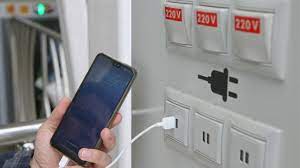
what is Juice Jacking SCAM

  Juice Jacking is a cybersecurity threat that occurs when cybercriminals manipulate public charging stations, such as USB charging ports in...