Sunday, 12 January 2014

Windows 9 And Windows 9 Pro May Not Launch At The Same Time


Remember Windows ME? Millennium Edition? The last operating system in the Windows 9x series, it is notable for the fact that Microsoft changed its strategy majorly after the release of this versions of the OS back in 2000.
After this, Redmond decided to release the consumer and pro versions of Windows simultaneously, and in the process provide end users and companies new products at the same time.
Now though, it appears that Microsoft is thinking about changing its release cycle for the next major version of Windows that is on track to begin rolling out in 2015.
Microsoft executive vice president, Terry Myerson, talking at the Credit Suisse 2013 Technology Conference said that consumers and IT professionals have different needs when it comes to operating systems, and the pace at which various versions of Windows are released may need to be revisited.
The plan will need to be approved by the board of directors first, but there is a chance that Windows 9 and Windows 9 Pro may be released at different times.
Companies and organizations, obviously, need much longer testing sessions in order to ensure reliable deployment of a new operating system on their computers — for compatibility and security reasons.
However, this is an interesting proposition, and what Microsoft ultimately decides on promises to be even more fascinating. Still plenty of time left to make a final choice, though.

Thanks & Regards,

"Remember Me When You Raise Your Hand For Dua"
Raheel Ahmed Khan
System Engineer
send2raheel@yahoo.com
send2raheel@engineer.com
sirraheel@gmail.com
send2raheel (skype id)

My Blog Spot 
http://raheel-mydreamz.blogspot.com/


Friday, 10 January 2014

If u Want To Become Hacker Must Read


If u Want To Become Hacker Must Read

1) Never trust sites that ask you for money in return of Hacking Softwares or who claim to Hack Email
Id’s in return of money. All such things are Scam .
Nothing Works.. 

2) There is NO DIRECT SOFTWARE to Hack
Facebook ,
Google , Yahoo or any other big website. All the softwares that claim to do so are scam. They are just meant to take your money and in worse cases, those softwares have trojans or keyloggers in them.
As a result your account gets hacked trying to hack

3) NEVER EVER use the keyloggers or trojans
you find as freeware on internet. Hackers are not fools.
They compile keyloggers and trojans almost with any
such software and when you install them , you are
already hacked before even trying to hack.

4) You are never going to be a good hacker without the
knowledge of programming and scripting languages.
When you are going to use only ready made softwares
and would depend on them for hacking anything then
your functionality would be limited upto the functionality of the software. When you are not going to use your brain , just doing the copy paste thing, then how can you even think of being a good hacker.

5) If you are a good Hacker, you already become
a good programmer , a good script writer , a good
web developer and an excellent security expert. Well
any good Hacker will/should have good knowledge of
various aspects and programming languages. to
do XSS (Cross Site Scripting ) , PHP INJECTION , SQL
INJECTION , PHISHING , FOOTPRINTING etc… you will have to be good at programing and scripting. And when you
know the Various loop holes , vulnerabilities and
security tips, you already become a Computer Security Expert.

So Never Ever Under estimate the term Hacker.
A Hacker Is Not a person who just hacks email id’s or
servers but a True Hacker is a Computer Genius who have
the knowledge of computers more than anyone.


Thanks & Regards,

"Remember Me When You Raise Your Hand For Dua"
Raheel Ahmed Khan
System Engineer
send2raheel@yahoo.com
send2raheel@engineer.com
sirraheel@gmail.com
send2raheel (skype id)

My Blog Spot 
http://raheel-mydreamz.blogspot.com/

Sunday, 10 November 2013

Hacking rules


Hacking rules 

1. Never damage any system. This will only get you into trouble.

2. Never alter any of the systems files, except for those needed to insure that you are not detected, and those to insure that you have access into that computer in the future.

3. Do not share any information about your hacking projects with anyone but those you'd trust with your life.

4. When posting on BBS's (Bulletin Board Systems) be as vague as possible when describing your current hacking projects. BBS's CAN be monitered by law enforcement.

5. Never use anyone's real name or real phone number when posting on a BBS.

6. Never leave your handle on any systems that you hack in to.

7. DO NOT hack government computers.

8. Never speak about hacking projects over your home telephone line.

9. Be paranoid. Keep all of your hacking materials in a safe place.

10. To become a real hacker, you have to hack. You can't just sit around reading text files and hanging out on BBS's. This is not what hacking is all about.


Thanks & Regards,

"Remember Me When You Raise Your Hand For Dua"
Raheel Ahmed Khan
System Engineer
send2raheel@yahoo.com
send2raheel@engineer.com
sirraheel@gmail.com
send2raheel (skype id)

My Blog Spot
http://raheel-mydreamz.blogspot.com/

Backtracking a Keylogger


Backtracking a Keylogger :

Now all keyloggers and RATs are sending data to the hacker in regular intervals (usually every 5 to 10 minutes) by using one of the two methods below:

1. Using the Emails: where hacker configures his email ID and password while creating the server. Keylogger records the key strokes in a temp file and sends it to the hacker in form of emails. But this has a limit as most free email servers like Gmail or Yahoo or Hotmail has limit of 500 composed and received mails. So most hackers use the second method.

2. FTP server: While creating the keylogger server, hackers configure their FTP server, where they receive the logs of key strokes in the form of text file(usally labeled on the basis of current system time stamp). Hackers keylogger server uploads the files to FTP server after every few minutes interval.

If we monitor all data packages we can easily scan for one of these and then we’ll have the hackers email info or FTP info. What can we do with this, you might ask; highly skilled hackers obviously won’t allow this as they create a completely seperate email or FTP site which leaves no traces of them, but novice skilled hackers (there’s plenty of those) will just use their own email or leaving behind information about them. An example could be that you find the name of the person from the email you backtraced – this ain’t his primary email, so there’s nothing valuable. From there you can look up his name on Google, you’ll probably find his real email on some site; then simply try to login to it using the password from the fake email (most novice skilled hackers will have the same password).

Wireshark is a very famous network scanning hack tool which is used by hackers or network forensic experts to monitor the packet flow of their network cards like Ethernet or WLAN. It records each and every packet coming and going out of your system’s Network card. Packets is just a bunch of data.

Whenever you feel anything suspicious in your system like your system is compromised or you are infected follow the steps below prior to removing the keylogger or RAT from your system.

Steps to reverse engeneering the email or FTP servers password:

1. First of all download and install Wireshark. You can easily get this simply by Googling it.

Note: While Wireshark is getting installed, ensure that it installs the Winpcap with it otherwise it won’t work properly.

2. Now go to the “Capture”-button in the top menu of the Wireshark and select the interface (means your network card which can be Ethernet or WLAN).

3. It will now start capturing the packets through that Network card. What you have to do is just keep capturing the records for atleast 30 minutes for getting the best results. After 30 minutes, stop capturing the packets.

4. Now you need to filter your results, for this go to the filter box and type FTP and SMTP one by one. Note: if you get records for FTP then hacker has used FTP server and if you didn’t get FTP that means the hacker has used SMTP, so give SMTP in Filter box.

5. As you scroll down you will find the “FTP username” and “Password” for victims ftp account in case FTP server is used. And if hacker has used SMTP then you will find “email address” and its “password” that hacker has used to create the server.

NOTE: This won’t work in all cases, but it’s certainly worth trying. Who wouldn’t want revenge if some skid infected your precious PC .


Thanks & Regards,

"Remember Me When You Raise Your Hand For Dua"
Raheel Ahmed Khan
System Engineer
send2raheel@yahoo.com
send2raheel@engineer.com
sirraheel@gmail.com
send2raheel (skype id)

My Blog Spot 
http://raheel-mydreamz.blogspot.com/

Thursday, 17 October 2013

New Features in Windows 8.1: What makes it better?


Microsoft is on its way to turn heads with the launch of the new Windows 8.1. In this update to the already existingWindows 8 operating system, a whole new range of features has been included. These features are aimed at improving the tablet/ PC using experience of the users. After the previous version of this OS was released in August, 2012, it faced a lot of praises as well as criticism from the users. It is believed that this has lead to this latest update. And finally there is good news for the Windows 8 users. They will get this new update for free.
This OS is very easy to use as well as to install. But will it be any better than the original Windows 8? May be it is too soon to comment on that. So, below are some of the New Features in Windows 8.1 which are introduced.

New Features in Windows 8.1


  • Start button :It has been in the news that the Start button is going to come back with this update. But the truth is that it is not exactly the start button like in the case of Windows Vista/ XP/ 7 or others, rather it is a simple icon at the lower left of the display screen of your device. By simply clicking/ tapping on this button, you can zip back to the Windows 8 which uses tile user interface. Apart from this, the traditional right click options are still there as usual.
  • Universal search : One of the major drawbacks of Windows 8 was that while searching for documents/ files, the users had to specify exactly where they wanted to search i.e. folders, apps, files or settings. But in the newWindows 8.1, there is the facility to carry out universal search. This means that all you need to do is type what you want to search and all folders and files will be searched automatically. Apart from this, there is smart search which will make suggestions without the need to search an entire word or phrase.
  • Boot to desktop : For people without a PC, laptop or tablet, the tiled user interface of Windows 8 was not convenient to use on their computer systems. Due to this reason, the Windows 8.1 OS comes with an option during the time of booting using which bypass the tiled user interface and can get it opened on the desktop. Under the task and navigation properties menu, there is a box that you need to tick. Click on the box next to the “Go to the desktop instead of start when I sign in” and you will be redirected to the desktop automatically. In case you want to change this setting, you need to un- tick this box.
  • Find apps using the apps bar : Windows 8.1 comes with an app bar and you can use it by right clicking on the app screen with mouse or by swiping the bottom of screen upwards. This will open the list of apps and their functions. You can also pin these apps onto the taskbar.
  • Find libraries & charm : With Windows 7 came the library which showed all your contents and made them easy to access. Now, Windows 8.1 doesn’t show this folder and you need to click on View menu in order to access it. Another feature is the Charms. You can easily find it on the right side of the screen.
  • Alarm : You can set alarm by clicking on the start screen.
  • Customize the lock up screen using photos : While Windows 8 allowed you to set specific photos on the lock screen but Windows 8.1 allows you to set a whole series of pictures onto the lock screen as well.
  • Quick shutdown : Shutting down the system is the same in Windows 8.1 as that was in the previous versions but there are some new features here. This helps you in logging out of your account or shutting down your system without using the settings charm.
While these are few of the features in this Windows update, there are a whole bunch of other improved features as well.


Tuesday, 8 October 2013

How far do u know?


How far do u know?
1 Bit = Binary Digit
8 Bits = 1 Byte
1024 Bytes = 1 Kilobyte
1024 Kilobytes = 1 Megabyte
1024 Megabytes = 1 Gigabyte
1024 Gigabytes = 1 Terabyte
1024 Terabytes = 1 Petabyte
1024 Petabytes = 1 Exabyte
1024 Exabytes = 1 Zettabyte
1024 Zettabytes = 1 Yottabyte
1024Yottabytes = 1 Brontobyte
1024 Brontobytes = 1 Geopbyte
1024 Geopbyte=1 Saganbyte
1024 Saganbyte=1 Pijabyte
Alphabyte = 1024 Pijabyte
Kryatbyte = 1024 Alphabyte
Amosbyte = 1024 Kryatbyte
Pectrolbyte = 1024 Amosbyte
Bolgerbyte = 1024 Pectrolbyte
Sambobyte = 1024 Bolgerbyte
Quesabyte = 1024 Sambobyte
Kinsabyte = 1024 Quesabyte
Rutherbyte = 1024 Kinsabyte
Dubnibyte = 1024 Rutherbyte
Seaborgbyte = 1024 Dubnibyte
Bohrbyte = 1024 Seaborgbyte
Hassiubyte = 1024 Bohrbyte
Meitnerbyte = 1024 Hassiubyte
Darmstadbyte = 1024 Meitnerbyte
Roentbyte = 1024 Darmstadbyte
Coperbyte = 1024 Roentbyte


Top 5 Countries with world’s fastest internet.....


1. Hong kong has the worlds fastest internet speed. It has blazing fast internet, an average peak speed of 63.6 Mbp megabits per seconds. At this speed you can download HD movie in about 2 minutes.

2 Japan
Speed: 50 Mbp The home of Nintendo and Sony had the second fastest internet speed, thanks to the high-speed fibre optics that run through many parts of the island nation. Japan’s average peak broadband speed reached an impressive 50 Mbps, which was more than 170% faster than the global average.

3 . Romania
Speed: 47.9 Mbp When last checked in on Romania, it was ranked No. 5 and was the only country to see its average fall from the previous quarter. The country is now back on track, and has elevated itself with an average peak speed of 47.9 Mbps. That’s 160% faster than the global average.Romania’s average was 9% higher than the previous quarter.

4. South Korea Speed: 44.8 Mbp Serious PC gamers who want to dominate in StarCraftneed fast, low latency internet connections. They’ll find that in South Korea, home to consumerelectronics giants Samsung and LG. The country’s average peak hit 44.8 Mbps, about 143% faster than the global average. It was
the only region to lose speed compared with a year ago,

5. Latvia
Speed: 44.2 Mbp Smaller countries are easier to blanket with high-speed internet, which is one of the reasons why Latvia consistently ranks high on this list. The average peak broadband speed.


what is Juice Jacking SCAM

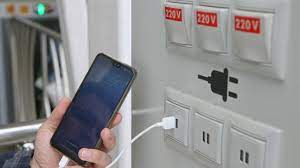
  Juice Jacking is a cybersecurity threat that occurs when cybercriminals manipulate public charging stations, such as USB charging ports in...