Thursday, 7 February 2013

3 steps to create your own interview guide

Yesterday, I spoke about competency-based interviews and how, when you conduct a competency-based interview, you must develop an interview guide which guides you about how you will conduct the interview.
Today, I’m going to give you three pointers on how to create your interview guide.
1.    Define the job requirements by determining the behaviours, knowledge and motivations important for success in the job, i.e. sales ability, analytical ability.

2.    Design the recruitment and selection process by documenting the number and type of selection elements you’re going to use, for example:

-    Tests;
-    Interviews;
-    Simulations;
-    References;
-    The number of interviewers and interviews;
-    The time allocated for each interview; and
-    The decision points to screen out or move forward.

3.    Create the interview guide using planned behavioural questions based on the behaviours defined in the job requirement.  Planned behavioural questions include three parts:

-    The scenario or situation: “In your position at XYZ Company  .....”;

-    The behavioural action is the open-ended interrogative question representing the behavioural data seeking portion. Basic fact-finding questions begin with words like when, where, what, who, how often, how much, “ tell me about a time when ....? “.; and

-    The outcome focus completes the competency question and seeks a specific example of a situation, action or result that relates to the behavioural definition.
A structured and planned behavioural question could go like this: “Tell me about the last change or improvement you initiated in your job at ....”? From this, you will be able to determine the candidate's initiative based on the answer and the outcome of his previous actions.

Wednesday, 6 February 2013

How to Develop Contents That Definitely Work for SEO

How to Develop Contents

How will you rate the work of writing and more specifically writing for web – easy, tough or in between? Well, as expected this question gives rise to many answers – widely varying from non-writers to writers to web-writers.
I assure you, web-writing is not that tough too. The only thing I do in my times is I just translate whatever I have in my mind into simple, understandable and useful texts. And in my eyes you can be pretty familiar to your readers this way. But at the same time don’t just leave your write-up in your readers’ hands thinking that you can mend it after their views and comments though you’re writing for them only.
Remember there’s no second chance in the competition. Your rivals will beat you at any time. And your readers will stop coming to your content again. So take care of some minors from the beginning itself. Do your basics right and go ahead to publish the post. Here we focus on those basic ways to start with.
Audiences are the Sole Deciders:
  • Whom you are writing for? Frankly, they are your important audiences. Will they read your words if these are only some rubbish texts? Surely nobody will. So before writing something, do exercise your brain well to know your readers.
  • For an example, in GlobalScriptor we post legions of useful articles for common readers. All the articles come under categories like SEO, SMO, SEM, Health Tips, Technology, Travel & Tourism and a few more. Out of which at some point we noticed that most of our visitors like the SEO related articles very much. From that point we started developing some more useful resources for our visitors. Yet we don’t ignore other stuffs.
  • So while posting new contents first identify and study your audiences and their interests. You can do it at regular time gaps.
Titles must be appealing and exciting:
  • Yes, titles are the first look of your total content. Readers just read it and decide whether to move on or to see off. There must be some key terms (terms bearing readers’ interests) in the titles.
  • Most of the writers first write the whole body part. Then they decide what should be the most suitable title and write it. Few proceed in the opposite way. From my point of view the latter should be the approach. First concentrate on making a very good title to make the readers anxious. Let your titles direct the whole content body.
  • The key terms like “How to” and “Tips” happen to be the most preferable words for titles. Most searches generally start with these keywords. Yeah, follow the trend; but along with do consider some technical terms that would teach your readers about something, something that matters. So don’t forget to include some creative and happening terms in every title.
Try adding lists both in titles and body parts:
  • While doing hundreds of searches in Google in every hour I often come across titles starting with “Top 5”, “Top 10” or “20 Tips”. What do these phrases suggest? They come in the search bar because most people enter these phrases in very often. So web-pages doing SEO add these in the titles. I also include these key terms in most of my titles.
  • These are the lists entities of events which bear most of the users’ interests.
  • For convenience let me point out all the usefulness of including lists in the contents.
  1. If “Top 10” or “15 Tips” phrases are there in the titles, then it becomes easy to follow the next body parts. So lists happen to be very handy in those cases.
  2. Lists actually make the articles fully specific and clearly understandable.
  3. Author’s task becomes easier too. He or She doesn’t have to study similar resources to gather more knowledge. So the author can utilize that time for betterment of the particular article.
  4. The whole scene turns out to be systematic, easy-to-read and interesting.
  5. Lists usually have better impact in the memory of the readers. The points are really easy to remember, aren’t they? They also feel good to comment or share individual points.
  6. The most important part is lists actually make the article more educational and informational.
A Quick Recap:
There are only few renowned writers in the Internet world who create some all-time popular deeds. Even if they don’t, whatever they write is loved by their readers blindly because readers loved their previous write-ups. But that’s not the case with all. Tons of writers are still out there who make their days and nights one to get approved by the readers.
So follow the basic steps properly and gather concrete knowledge regarding the particular topic. Just be genuine to your texts and to your audiences, know their interests, likes and dislikes. And go for translating your thinking into some real and meaningful texts in any text editor. Keep reading and writing. That’s the way you can do better with time.

8 Contract Writing Tips for Web Designers

8 Contract Writing Tips for Web Designers

As far as web designing is concerned, it’s a good career option for all. It’s all right that a good creative hand is a plus but people with ordinary skills can also become experts. Many companies are out there to recruit web designers; yet some don’t prefer corporate life. They rather want to stand on their own feet – love to become freelancers.
 They think from their own perspective and it’s not bad to be a freelancer either. Expert freelancers more or less know how to handle their clients; but what about beginners? Most beginners don’t understand the importance of a contract. But remember, if you want continuous safe business, do write contracts. Here are few tips how to write good contracts.

          
 1.       Know what your client exactly wants.
  • Basically there are two types of websites – Static and Dynamic.
  • Static sites use only some HTML tags. No use of complex codes of PHP, ColdFusion is there. Database is not used in those simple sites.
  • On the other hand, dynamic sites use everything like JavaScript, Flash, and more advanced languages like PHP, ASP.net etc. and database. Clearly mention what your client actually wants.
2.      Specify your work.
  • Mention everything you are supposed to do like – no. of pages, no. of contents, no. of graphics and no. of programs and scripts to be developed.
  • This helps you to become more specific and not to waste your efforts and time.
 3.      Mention the dates clearly.
  • All the dates – date of agreement, project starting and finishing date, launching date, client reporting date etc. should be written clearly on the contract paper.
  • This is an alarm to make you serious all through the project duration. 
 4.      Do mention “SEO” on the paper.
  • Grab special attention of your clients while mentioning SEO as a part of your website development.
  • You always believe in building search engine friendly pages.
  • If the client wants dedicated SEO works for the site to be displayed on the search page, then mention this on the paper. If it’s not needed by the client, then mention “NO” there.
     
5.      Write the price structure clearly.
  • If you know the exact price to be charged to the client, then discuss the price. Otherwise ask some experts to help you fix the price.
  • It’s always important for every freelancer to know the exact cost of the project.
6.      Don’t work for free.
  • Don’t ever work for free.
  • Most beginners think that it would be good for their marketing; but remember working free of cost may decrease your credibility and your clients may treat you as only a novice web designer.
  • And they may doubt your capability too.
  • So even if you work for a friend or for charity do charge them a minimum cost. And that price must be included in the contract. 
7.      Include the copyright owner and credits for your effort.
  • The best thing is to mention the copyright owner’s name in the contract.
  • Give credits to the concerned person for all your page contents like – images, graphics, visuals, programs, scripts and textual contents.
  • Discuss with your client about the credits you should get on their site. Write this agreement on the contract paper where and how your effort will be credited.
8.      Include their initials on the agreement paper.
  • Make sure that your contract paper is duly signed by you and your client.
  • This signifies that you both have agreed to whatever is written on the paper and after this go for building the website.
Dear web designers, these are only a few things to consider while writing the contract. Along with this it’s better consult a trustworthy lawyer to know about the violations of contract and the actions to be taken against this. And make sure to get some amount of the price during planning. This will make both you and your client serious.

Latest Up-To-Date Search Results At Google Page


Doing searches at Google is a piece of cake, but there are always some clever ways which can make you more smart. Being an IT guy, God know how many times I visit Google in a day and make searches. I discovered from the Google search results, that some of the articles which it provides you in its result are out dated or pretty old.


Internet is full of information and the contents of it are updating each and every minute. (If the email fonts or pictures are not clear, you can read the same article on the blog from here as well). That's why I don't like at all reading old articles because when i can find new and updated articles on Internet, then there is no reason to read old stuff. Most importantly, I don't have to do anything out of the way in order to read new articles. In order to see updated news / articles at Google search page :
 
 
Please keep sending me your replies / feedback after reading the article and keep asking me the questions about the things which you want to learn about. WHAT I NEED IS JUST A REPLY OR A FEEDBACK FROM YOU GUYS.
 
You can like my Facebook page or follow me on Twitter or Google+ Community where you can ask me questions and you will also get the notifications of all the new articles which I post on my blog.

1. Make a search at Google

2. Click the Search tools button below Google Search Box.
 

3. Click Any time option.
 

4. Now select the time frame from the drop down menu.


5. You can also click the Custom range option in order to bring the search results from a specific time frame.

6
. And you will see how your Google search result will reflect the changes.

 
Last Words


As you can see how easy it really is to see up-to-date content at Google search page. These kind of tips are quite useful on day to day bases and surely it boost your productivity. Give it a try and then don't forget to reply me with your comments / feedback.

Monday, 4 February 2013

10 things I've learned from working in IT

I’ve been a part of the IT industry (in one capacity or another) for nearly 20 years now. During those years, I’ve seen all sorts of trends, thoughts, and events come and go like the wind. I’ve experienced people with a vast range of skills and interests, and I’ve seen and heard dog and pony shows from more companies than I care to remember.
While I’ve held my post(s) within the IT industry, I’ve learned a few random things about the industry itself that I wanted to share with all the good readers of TechRepublic. So hold onto your seat, it’s gonna be a bumpy ride.

1: Companies always promise more than they can deliver

This is almost across the board. A company will promise you the moon, telling you that their product will solve every problem your company has. But sales pitches should never be believed. If you want to know the truth about a product, you find forums (like TechRepublic) where end users and other IT pros chat about products. The company I work for recently had a new backup solution vendor promise that its product would not have all the failings our current product had. And it did solve some of the issues — but it had plenty of its own. Remember, if it’s too good to be true, most likely it’s not true.

2: If you add third-party software to a Windows machine, all bets are off

In a perfect world, you could add any software, from any vendor, and everything would simply work. We don’t live in that perfect world. I have found over the years that when you add non-Microsoft software to a machine, to differing degrees, you compromise the stability and reliability of the platform. If you really want the most stable Windows platform you can get, install only software from Microsoft.

3: It’s not a matter of “if” but “when” your desktop or server will be compromised

Whether you use a desktop or a server, if you’re using Windows, you will be compromised. This does not necessarily mean a hacker or something catastrophic. But you will wind up with a virus, malware, or more. No matter what antivirus software you use, you will eventually find yourself having to rid a machine of something malicious.

4: Most people don’t really understand RAID

I can’t tell you how many people I’ve dealt with who look at RAID as little more than a backup. If you need a backup, use a backup. If you need redundancy, use RAID. But even more important — RAID disks fail! If you don’t pay attention to those failures (and replace disks as needed), you will wind up with a dead machine that will take hours (or days) to bring back to life. Understand RAID before you use it.

5: Backups are always forgotten… until they’re needed

Most people don’t even back up. And those who do usually assume it’s “set it and forget it.” I’ve been focusing on backups (for multiple clients) for a while now, and if there’s one thing I’ve learned it’s that backups can’t be trusted. You must monitor them; you must babysit them. If you don’t, one of these days you are going to need that backup and it won’t be there.

6: The cloud will never replace the desktop

Just a few short years ago, rumors spread about this ubiquitous technology called “the cloud,” and everyone pretty much thought it would take over the desktop. Some of us had visions of old thin clients making a comeback. The truth is, the cloud wound up being something used by the desktop. It will never actually replace the desktop. We need that desktop OS; otherwise, failure and lost data will become rampant. But no matter what the early expectations were, the cloud has turned out to be a nice addition to what we already had.

7: The Linux platform is still hindered by FUD

That’s right: Fear, uncertainty, and doubt still plague the open source flagship platform. Most of those who rail against Linux do so out of either ignorance or fear. Linux fits in perfectly alongside both Windows and OS X on the server AND the desktop. And Linux will continue to gain traction in both personal and business usage. Although the biggest perpetrators of the Linux FUD have pulled back drastically, others still feed the machine daily. I can’t imagine this will go away any time soon.

8: There’s a huge disconnect between pundits and the real world

Most pundits live in this glorious cloud in the sky where reality has little to no bearing. Reality is that most businesses can’t afford to upgrade every year, that people still desperately cling to old technology because it works and because they fear change, and that the newest and shiniest isn’t always the best.

9: IT will give you gray hair

I’ve seen it countless times. People come into the business with nice jet black hair and after only a year or so, the gray hair starts sprouting. Why? IT is stressful. You have people’s business in your hand. Your ability to fix problems is critical to end users getting their jobs done. Or worse — you’re working with a company’s QuickBooks data file and you have a business breathing down your neck to make sure it can continue. It’s a rough business that will chew you up and spit you out. Thin skinned need not apply.

10: The second you think you understand something, you don’t

Technology changes faster than the speed of thought. The second you’ve wrapped your brain around something, it completely changes and you have to start from scratch. Never sit still, never give up learning, and always know the second you close your eyes you will be behind the curve and someone else will steal your business.


Tips to look out before buying New Laptop

It takes a lot of time to choose a best and qualified Laptop for us. Nowadays, many types of Laptops are available in market and every laptop has different features. While selecting a new laptop, we get confused to choose the best one. The most important factors that one has to consider before buying a new Laptop are given below.
1. Battery life:
Battery Life is more important for those who work continuously with Laptop. If the product is made by the manufacturer of your laptop (Sony, Compaq, Dell, etc), you can usually be sure it is a quality product. In general Laptops have 2 types of batteries. 9 cell battery laptops are better than 6 cell battery laptop. Because 9 cell batteries provide stand-alone power than 6 cell batteries.
2. Operating system:
Windows XP and versions of Windows Vista are recommended by many people. For your laptop also you can choose windows series. All Laptops has the latest operating systems like windows 7 and windows 8.
3. RAM:
Laptops generally have two slots available for memory modules compared to four or more in desktop systems. This means that they are more limited in the amount of memory that have available. 2GB or 4GB RAM is enough for Laptops.
4. Processor:
High speed Processors are available in markets. I serious processor by Intel company like i3, i5 and i7 is the most used processor.
5. Screen Size:
The Screen Size should also be considered before buying a Laptop. You may think that a 17-inch widescreen display is just what you need. Ultimately, that may prove to be too big, the 14-inch and 15.6-inch Laptops are also available.
6. Bluetooth, camera and Wireless:
Buy a Laptop that considers the features of Bluetooth, camera and wireless.
7. Keyboard and Touch Pad:
If you want to buy a 15 inch screen laptop, you will have Numeric Keypad. The size lesser than 15 inch will not have this facility. Some keyboard come with back-lit LED lights for easy typing in dark. Touch pad is common for all laptops.
8. Ports:
Check out all the ports for USB, Speakers, Network, HDMI and others. Laptops starts coming with USB 3.0 port for faster data transfer. E-SATA ports are also available. It can be used as a UGB port. It is mainly to transfer with external hard disk drives.
9. Design:
Choose a better Design and color for you Laptop. Nowadays Laptops are available in many designs and colors.
10. Graphics Property:
The Graphics property is also most important factor. You can also add 1 graphics card in your laptop. If you are Gamer, Designer or Heavy user then you need more Graphics.
11. Budget and price:
Choose a laptop that price having in your budget. Laptops are coming with low price with suitable features. Choose a Laptop that perfectly helps in use for your work.
 So, the above things will be helpful to you in finding a best Laptop.

Sunday, 3 February 2013

First 3D Microchip is Created By Cambridge University Scientists

Most of the microchip being used today can transfer data in two directions. Their data transfer directions are either left to right or back to front. the Scienticts of Cambride University have created the first ever 3D microchip successfully.

To create this first 3D microchip, scientists used cobalt, platinum and ruthenium atom in junction with silicon chip. Other additional elements are used to create a club sandwich around the basic silicon chip. The element cobalt and platinum are used because of ability to store digital information similar to disk drive.
Laser technique, MOKE is used by scientists to check the transfer of data of data between different layers of 3D chip. scientists have successfully demonstrated a basic structure of a 3D microchip but there’s still a long way to go before such chips could become commercial.

According to the lead researcher of the study, Professor Russell Cowburn, “Each step on our spintronic staircase is only a few atoms high. This is a great example of the power of advanced materials science. Traditionally, we would use a series of electronic transistors to move data like this. We’ve been able to achieve the same effect just by combining different basic elements such as cobalt, platinum and ruthenium. This is the 21st century way of building things — harnessing the basic power of elements and materials to give built-in functionality.”

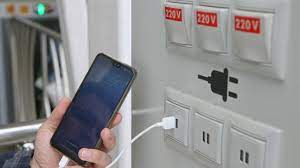
what is Juice Jacking SCAM

  Juice Jacking is a cybersecurity threat that occurs when cybercriminals manipulate public charging stations, such as USB charging ports in...