Sunday, 3 February 2013

Review of Transform of any Surface into a Touchscreen by LuminAR Bulb

Summary

Latest Research by a team led by Natan Linder at the MIT Media Lab’s Fluid Interfaces Group have developed a protoriaki device using a common bulb converts your desk or any flat surface into a touch screen elements Augmented Reality.
That’s the idea behind the LuminAR, developed by MIT Group. The device LuminAR consists of a desk lamp combines a Pico-projector, camera, and wireless computer to project interactive images onto any surface – and is small enough to screw into a standard light fixture. The forward LuminAr interactive images onto the surface of your desk and allows you to touch and interact with them.
Review of Transform of any Surface into a Touchscreen by LuminAR Bulb

Performance

LuminAR features a robotic arm that you can control with a wave of your hand and an augmented bulb armed with a with a projector, camera and wireless computer. Basically, it projects an image and turns any surface into a touch screen.
Review of Transform of any Surface into a Touchscreen by LuminAR Bulb
Linder and the other folks at MIT Media Lab’s Fluid Interfaces Group are ditching the robot arm, though, to cut costs and focus on perfecting the computer bulb portion of the project. Perhaps the craziest thing is that they created LuminAR two years ago (Audi named Linder the next Tony Stark). We may be a long way off from flying cars, but it’s pretty clear that the machines are winning and the robot apocalypse is inevitable.
Review of Transform of any Surface into a Touchscreen by LuminAR Bulb
Linder’s system uses a camera, a projector, and software to recognize objects and project imagery onto or around them, and also to function as a scanner. It connects to the Internet using Wi-Fi. Some capabilities of the prototype, such as object recognition, rely partly on software running on a remote cloud server.
Review of Transform of any Surface into a Touchscreen by LuminAR Bulb
The Luminar Lamp remembers where you’ve moved different applications, allowing you to organize your workspace accordingly, such as putting your twitter feed in a less distracting location, or projecting a Skype session onto a wall. The Lamp can also take snapshots of the work area, allowing you to quickly scan and share work documents seamlessly across multiple devices.
Review of Transform of any Surface into a Touchscreen by LuminAR Bulb
“I’m really excited by the way this would be used by engineers and designers,” says Linder, who believes it could be useful for any creative occupation that often involves working with paper and other tangible objects as well as computers.
Review of Transform of any Surface into a Touchscreen by LuminAR Bulb
Besides tracking your hands and fingers, the camera and image processing software could detect objects in the work space, such as a canned soft drink, and automatically display targeted advertising around it. One potential application would be projecting rich media, including product information, in a retail setting. In effect, browsing a store’s display could incorporate the same media and interactivity as a product web site.
activity as a product web site.

A Better Voice Recognition Remote Control

Magic remote control beyond simple text input method of speech recognition, natural language recognition feature additional support. Routine interactive languages ??also recognize the command can be executed. Smart TV for watching TV the user to mount a new speech recognition button at any time by pressing the button can be manipulated voice so.
LG sets my 2013 GTO Magic greatly enhanced voice recognition capabilities, remote control, electronic LG Electronics will be on display at CES this product next month, four days from the Consumer Electronics Show held in Las Vegas.
Magic remote control is located in the center of the wheel (Wheel) ‘by the user computer screen easily search the Internet like the mouse wheel to scroll or zoom-in, zoom-out can be.
A Better Voice Recognition Remote Control
2013 Converse presents a magic remote control ? LG Electronics, enhanced voice recognition capabilities
Integrated remote control functions, such as set-top boxes, audio, and Blu-ray players, peripherals, operated by one remote control enables. Pattern recognized as a command to ‘gesture’ user-specific hand movements while holding the remote control was also improved. Gives the ‘V (recent list)’ gesture to recognize the behavior of existing as well as moved to write the corresponding number on the air channel.
LG Electronics plans to launch a premium type and general type as two 2013 GTO Magic remote control. Premium built-in LED lights to the main type for each button easy operation even in the dark is available.

Asus USB Flash WL-330NUL Worlds Smallest Compact Router

Asus covered the wireless network in International Consumer Electronics Show 2013 with the release of WL-330NUL, according to the Asus. It is a pocket router, the smallest media of the world ever.
Asus WL-330NUL is a little large USB memory stick. The important thing of the device is that it has the dimension of 65 x 20 x 15 millimeters and weighs only 25 grams but looks so impressive with built-in Wi-Fi 802.11b/g/n wireless network. You can use it through the wired connection and also you can enjoy it as a wireless router by connecting a cable into the device to use it with the smartphone, tablet, laptop and etc……..
Asus USB Flash WL-330NUL Worlds Smallest Compact Router
WL-330NUL router can be charged through a USB port or otherwise with an adopter.
Asus USB Flash WL-330NUL Worlds Smallest Compact Router

It works also as a Dongle

Asus WL 330NUL is a thumb-size USB memory stick. The notebooks and other portable devices which come with a standard LAN connection and then have to use a USB dongle to connect to the wired network, so you can use this router as an USB LAN adapter. It is a big advantage of this WL-330NUL USB stick that it also worked as a transition from the USB to the LAN.
Asus USB Flash WL-330NUL Worlds Smallest Compact Router
Price information is not yet cleared but in February it will be available in market.

iPad 4 With 128GB Retina Dispaly And A6X processor

Are you waiting for apple’s new iPad 4 then you will be happy to know that iPad 4 is released with 128 GB huge memory storage. It is especially designed the people who wants to store large data in their i Pads. The special thing in iPad 4 is its Retina display. According to reports the iPad 4 is most popular iOS device among iPad users. Current generation iPad like 16GB, 32GB, 64GB, and 128GB. 

Sell of this iPad 4 will start on 5th February.If 64GB space is not sufficient for you, then 128GB iPad 4 will allow you to store large amounts of data. It will come in WiFi only model and WiFi + Cellular model. You will be able to buy it from Apple retail stores and Apple online store. You should note that the 4th generation iPad was unveiled on 23rd of October at a media event that was held at Town Hall Auditorium of Apple. It features 9.7-inch screen with retina display, 5 MP iSight camera, dual-core A6X processor, Wi-Fi connectivity, 3.5-mm audio jack, high definition FaceTime camera, lightning connector, ambient light sensor and it includes4G LTE support worldwide. You have to wait until February 5th to buy it. The new iPad 4 model will come in white color and black color. You have to pay $799 to buy 128GB iPad 4 (Wi-Fi) and $929 to buy 128GB iPad 4 (Wi-Fi + Cellular). You can also buy 16GB, 32GB, and 64GB iPad 4 model from Apple online store.

Ofcom to open up airwaves for 4G mobile services

UK mobile operators Vodafone and 3 have asked for permission to run 4G mobile services over the airwaves they use for existing mobile services.

Currently EE is the the only UK operator that can run 4G services over those parts of the radio spectrum.
Telecoms regulator Ofcom has started a public consultation exercise on the proposal that runs until 29 March.

Ofcom is currently running an auction to sell off unused airwaves that can support 4G services.
The two mobile operators want to be able to pipe futuristic 4G services over parts of the radio spectrum that, on their networks, are reserved for earlier generations of mobile technology.
Among other things, 4G promises to improve web browsing speeds while on the move and make a host of other mobile applications much more feasible.
Delayed response
EE is the only UK operator offering 4G and now rivals want Ofcom to let them use their existing spectrum for 4G services. In its consultation document, the regulator proposes to "liberalise" all parts of the radio spectrum used for those 2G and 3G services so they can be used to support 4G.

"This will meet a long standing objective to liberalise all mobile licences so that there are no regulatory barriers to the deployment of the latest available mobile technology," it said in a statement.
It later added that: "The only reason we allowed EE to use its existing spectrum for 4G services was because it made an application to us to do this. This decision was taken after conducting a thorough assessment of how competition might be affected."

On 23 January, the UK operators began bidding in an auction that will decide how new spectrum to support 4G is shared out. The auction was originally supposed to take place in 2012.

Matthew Howett, an analyst at market research firm Ovum, said Ofcom's consultation was welcome, but he questioned whether it would help operators launch 4G services quicker.

Most would be unlikely to use the spectrum they already own for those services in the "short term", he said,
"They would first need to be cleared of their existing use through a process of refarming that would probably take years rather than months," he said. "So the spectrum that is currently being auctioned by Ofcom will most likely be used for Vodafone, O2 and Three's initial deployment of 4G services."

Guide To Maintain Online Security & Privacy With Freewares


Online security and privacy are dream these days. It's too difficult to maintain your anonymity or privacy on the internet if not impossible. Security is also in the same way. It's also a common thinking that you must have to go with professional paid software and support to maintain your online as well as offline security and privacy. 

With involvement in your daily life on social networks, communication on email, photos on Picassa, files in the cloud and everything on the virtual network its too difficult to maintain this clutter without following better steps to secure your online and offline presence.
This guide will give you easy steps to maintain your online security and privacy. The other thing strictly followed in this guide is all software and services mentioned here are ONLY FREE software. No any paid or trial version software is discussed here. Give your 20 minutes and most of the concerns will be covered here.
 Whenever you are not connected to the internet, it's some relief to your computer security. You just have to care about the thing you personally are doing. This includes installation of various software, data transfer from various memory devices like pen drive, optical media.

So what are the steps you should follow to be secure?

Antivirus

This is the most common thing and everyone knows about it but what everyone not aware is to update the virus definition database which is a big mistake in using any security software. Your software engine as well as the definition database must be updated. What you can do is keep the Auto update option in your antivirus software ON.
  • Avast:: Avast is a most famous and favorite Free antivirus solution world wide and also give the same level of security any other paid antivirus. Avast is light on system resources, easy to use and free. Users have to fill the registration form provided in the software itself and click on submit to validate the forever free license. It automatically updates itself wherever you connect to the internet. 
  • Another good free option for antivirus are Avira (Download) and Microsoft Security Essentials (Download)
  • Avira is a good alternative to Avast but give more False Positive warnings and may interrupt the common work. It is also an irritating for basic users. 
  • Microsoft Security Essential is also a better option. It is well integrated with system and works silently. You can use it better alternative. 

Firewall

Firewalls is a wall between you and the rest of the world. Keeping this wall strong to protect yourself is important  While anti-virus software scans incoming email and files, a firewall is like a guard, watching for attempts to access your system and blocking communications with sources you don't permit.
The built-in firewall of Windows is not sufficient to protect you, you must install a good Firewall.
  • Comodo Firewall: Comodo is popular for Firewall though now it offers antivirus and other solutions. The standalone firewall is a great solution to your firewall need. It has Auto Sandbox technology and cloud based activity monitor support. It is very easy to use that anyone can understand how to use it.
  • Download Comodo Firewall from HERE.
  • There are other options available for firewall like ZoneAlarm and BufferZone. BufferZone is really a simple to use even simpler than Comodo. But if you want a specialist, Comodo is best.

AntiSpyware

Spyware is a form of malicious software that monitors your activities and can potentially collect your personal information and send it to the predefined address without your knowledge. The data it collects may include your key-loggers, passwords, internet activity monitoring data and anything. Having a Andtispyware is an additional benefit. 
  • There are many good AntiSpyware software available like Spybot Search and Destroy (Download) best one in this category.
Oh my God, how many software you have to install? Let's find out.  
  • Avast is a free and specialize in Antivirus, where as Comodo firewall is a specialist of Firewall. Spybot is a specialist in antispyware.
  • You can get the best combination of all these three functions in Microsoft Security Essentials.
  • You can also use Avast + Comodo Firewall which has other functions like sandboxing and malicious activity monitor by any software which can give you better security against Spyawres.
  • Another option is to use Comodo Internet Security (Free) which has all these functions ( Antivirus + Firewall + Antispyware )
Browser


No any security software will save you if you are using an outdated web browser like IE 6. You can use any available browser like Mozilla Firefox, Google Chrome, Opera, or Internet Explorer. Keep your browser up to date. All these browsers have hot updates enabled so you don't have to bother about updating the small updates only keep track of major releases.
  • If you are using Firefox or Chrome, you must install following extensions to protect your online security. 
  • Web Of Trust  This is a community based website reputation tool. It's a must have for everyone and alert you if you are browsing a site having bad back records.
  •  HTTPS Finder HTTPS Finder automatically detects and enforces HTTPS connections when available. It also provides one-click creation and in-browser editing for HTTPS Everywhere rules.
  • Close ‘n’ Forget – Very simple Firefox extension that closes the current tab and make Firefox forget about the visit: suppressing cookies related to the current page, cleaning the browser history and so on.

While you Browse
  • Always have HTTPS enabled for every site you use. Most of the sites like Google, Facebook, Twitter have the HTTPS option available. You just have to enable it. 
  • Never download software from unknown sources or bad reputation site (Web of Trust extension will help) or from unknown Torrents.
  • Never try to download serials or keys of the software.
  • Always use a separate email address for personal + banking + shopping + other important activities and separate for social networks and other online activities.
  • Keep your password Strong yet easy to remember and don't use same ID passwords for different sites.
  • Enable 2 step verification for GMail and Multiple Sing-In for two or more GMail accounts for easy switching between two accounts.
  • Also enable 2 step verification for other popular web services. These services have 2 step verification facility: Facebook, Microsoft All accounts like Skydrive, Outlook and other, Dropbox, Yahoo!. Enable it.
  • Check what applications are accessing your Social networks with Great Service MY Permissions
  • Clear all unwanted email notifications from various social networks with Notification Control 

Phishing

A bait, most probably an email message is sent to you, so that you fall pray to the link inserted in the message that is not a genuine link but looks more similar to the expected.
When you click on the link, you will be taken to the malicious website where it asks you to log in credentials and when you do that, your account is hacked.
Take an example: you may get an email saying that your bank account is suspended and you need to take quick action to avoid penalty or avoid suspension and there will be some time limit to do the necessary action. It asks you to click on the bank website link given in the email and log in to your online banking account.
  • In this case, the sender tries to pressure you by giving time limit and the email looks as if it is sent from the authorized website.
What you should do?
  • Never click on the link / URL in the email. Type it yourself or from your bookmarks.
  • Be more cautious when entering credentials like passwords, credit card numbers or other such sensitive information and always double check the URL of the page before you enter the data.
  • If you are giving such information, Check for httpS again.
  • Never use Free Wi-Fi, unknown hotspot, if the website is not httpS, as all the data can be traced.
  • Banks never send such emails and never ask for the log in credentials.

Trojan
Trojans are softwares those behave like a good guy but in the background do the bad work very silently, without any visible change in system activity. The most of the time, Trojans install a key-logger, keystroke recorder software and record everything you type and then sent all that recorded data to the respective server without  your notice. You keep using the other side of that software and feel good.
What to do?
  • It is really difficult to track the Trojan but Firewall can come to your help and track inappropriate activity. 
  • You can always check which application is sending and receiving the data over the network.
  • Never download softwares from unknown sources.

Use Password Manager Software

  • It's quite difficult for most of the people to accept the idea of using special software to manage password and other log-in info. But more you get online, the clutter of passwords, bookmarks, email address and other thing increase and so we tend to use the same passwords everywhere. Start using it. The best option available is KeePass Password Safe. It's open source, proven security, encryption control and everything you want. It's great and should not be compared with any paid or free competition.  KeePass Homepage.
  • Knowledge is the Power.  If you are interested in protecting yourself online or want to help others keep their identities safe consider a computer science degree online.
Thanks & Regards,

"Remember Me When You Raise Your Hand For Dua"
Raheel Ahmed Khan
System Engineer
send2raheel@yahoo.com
send2raheel@engineer.com
sirraheel@gmail.com
send2raheel (skype id)

My Blog Spot
http://raheel-mydreamz.blogspot.com/
http://raheeldreamz.wordpress.com/

My Face book pages
http://www.facebook.com/pages/My-Dreamz-Rebiuld-our-nation
http://www.facebook.com/pages/Beauty-of-islam
http://www.facebook.com/pages/Health-is-wealth


Leaked Documents Confirm Android Key Lime Pie Launch

Could Google be preparing to announce the brand new 5.0 version of its Android operating system at Google I/O in May? If that wasn’t a sure enough bet just based on the “well duh” factor, some leaked Qualcomm documents are backing it up. And yes, it’s Key Lime Pie.

The original leaked documents were posted on Android Police, but have since been taken down after formal requests from Qualcomm. What the documents revealed is anything but a surprise. According to one document, the “K release” of Android is coming in a window of “March – June”. In another, it’s explicitly called “Key Lime Pie”. And it doesn’t take a genius to realise this is Android 5.0 and that “March – June” really means May 15 – 17 (i.e. Google I/O).

As for what goodies Key Lime Pie may bring, keep on guessing; the leaked documents don’t dish out any of that goodness. So all we really have is the confirmation that an inevitability will in fact be coming at the most predictable time. Let’s just hope it brings some surprises when it shows up.
 
 
Thanks & Regards,

"Remember Me When You Raise Your Hand For Dua"
Raheel Ahmed Khan
System Engineer
send2raheel@yahoo.com
send2raheel@engineer.com
sirraheel@gmail.com
send2raheel (skype id)

My Blog Spot
http://raheel-mydreamz.blogspot.com/
http://raheeldreamz.wordpress.com/

My Face book pages
http://www.facebook.com/pages/My-Dreamz-Rebiuld-our-nation
http://www.facebook.com/pages/Beauty-of-islam
http://www.facebook.com/pages/Health-is-wealth

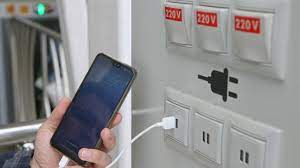
what is Juice Jacking SCAM

  Juice Jacking is a cybersecurity threat that occurs when cybercriminals manipulate public charging stations, such as USB charging ports in...